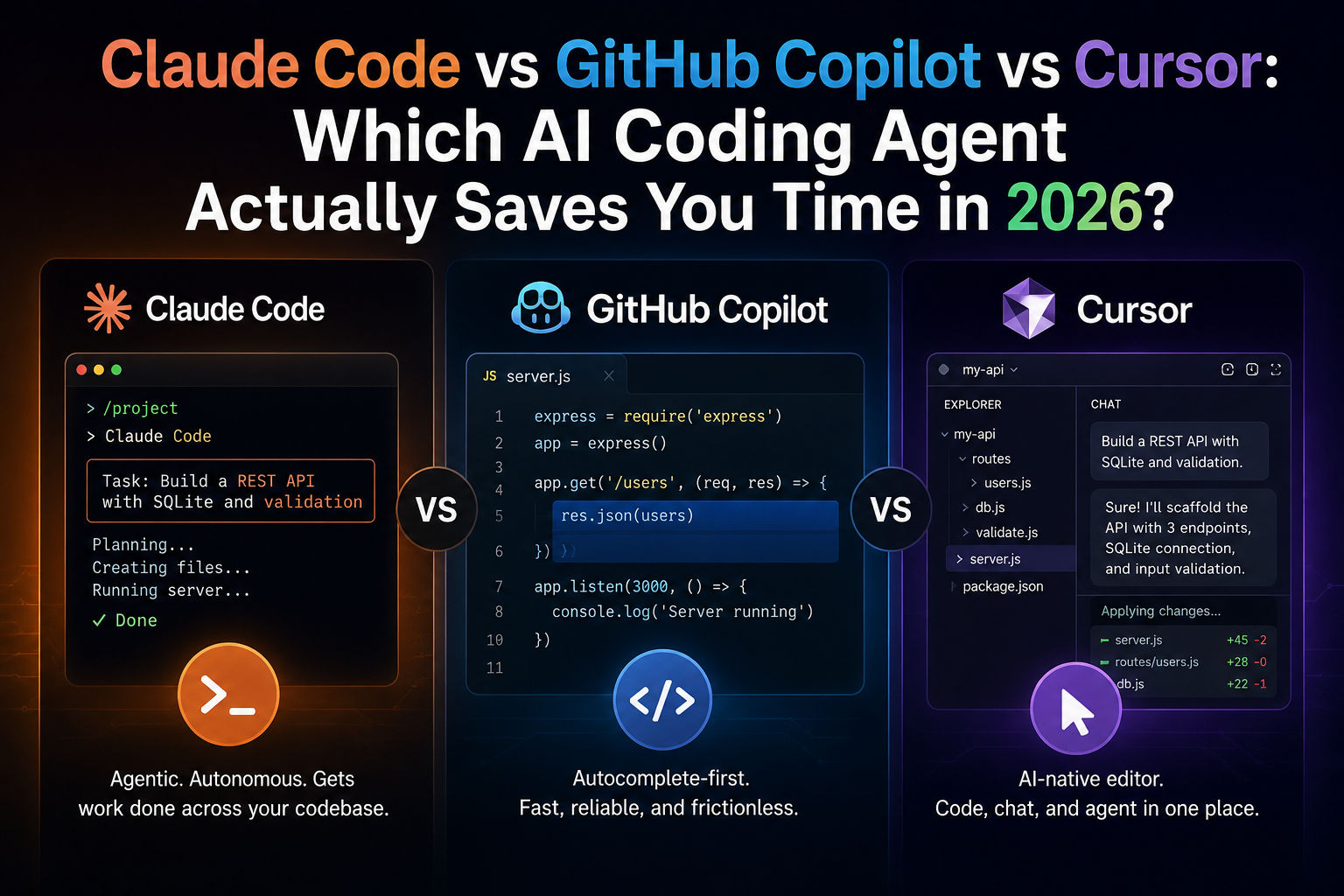
If you’ve spent even ten minutes on tech Twitter or a dev subreddit this year, you’ve seen the same argument on repeat: Claude Code vs GitHub Copilot vs Cursor, and which one is “actually” worth your money. I’ve used all three almost daily since 2025 for client projects, for my own side apps, and for helping students at workshops who are writing their first hundred lines of Python. So this isn’t a spec-sheet comparison. It’s what I’ve actually noticed when the deadline is real and the coffee is running low.
Quick answer: Claude Code tends to save the most time on deep, multi-file tasks and agentic workflows where you want to describe a problem and walk away. GitHub Copilot is still the most frictionless choice if you live inside VS Code and mostly want fast, reliable autocomplete. Cursor sits in between it’s a full editor built around AI, and it’s excellent if you want one tool that does both quick completions and heavier agent work without switching apps. There’s no universal winner; the right pick depends on how you work, not which tool has the flashier demo.
Let’s break down why.
What Each Tool Actually Is
Before comparing speed and cost, it helps to be clear on what these three products even are, because they’re not solving the exact same problem.
Claude Code
Claude Code is Anthropic’s agentic coding tool. It runs from your terminal, inside supported IDEs, in the desktop app, or on the web, and it can read your codebase, write and edit files, run shell commands, and iterate on its own output. You describe a task in plain language “refactor this Express API to use async/await consistently and add error handling” and it goes and does the work across multiple files, then reports back. It’s less “autocomplete” and more “junior developer you can delegate a ticket to.”
GitHub Copilot
Copilot started as an inline code-completion tool baked into your editor, and it’s still excellent at that job predicting the next line or block of code as you type. Over time it’s grown a chat interface and an “agent mode” that can make multi-file changes too, but its DNA is still autocomplete-first. If you mostly want to write code yourself and have AI finish your sentences, this is the most natural fit.
Cursor
Cursor is a standalone code editor, built as a fork of VS Code, with AI woven into almost every part of it inline Tab completions, chat, and multi-file agent mode, all in one app. Because it’s a full editor rather than a plugin, it can be a bit more opinionated about your workflow, but that also means less context-switching.
Real-World Test: The Same Task, Three Tools
Here’s a simple experiment I ran that reflects the kind of work most freelancers and small teams actually do: build a basic REST API in Node.js with three endpoints, connect it to a SQLite database, and add input validation.
Step-by-step, what actually happened
- Claude Code I described the task in one message in the terminal. It planned the file structure, created the server file, the database schema, and the validation middleware, then ran the server itself to check for startup errors before handing it back. I did have to nudge it once when it picked a validation library I didn’t want.
- GitHub Copilot (agent mode) I gave a similar prompt inside VS Code. It moved fast on the boilerplate but needed more manual back-and-forth to wire the database connection correctly across files.
- Cursor Working directly in the editor, I could see diffs applied file by file, which made it easy to review changes as they happened rather than trusting a black box. It landed close to Claude Code in output quality, with the advantage of tighter visual feedback.
None of these are scientific benchmarks your mileage will vary by codebase, prompt, and model version, since all three tools update their underlying models frequently. But the pattern held up across several tasks I tried: Claude Code was strongest when I wanted to hand off a broad task and check back later; Cursor was strongest when I wanted to stay in the loop and review every change; Copilot was fastest for small, contained edits inside a file I was already working in.
Feature Comparison at a Glance
| Factor | Claude Code | GitHub Copilot | Cursor |
|---|---|---|---|
| Interface | Terminal, IDE plugin, desktop, web | Plugin inside VS Code, JetBrains, etc. | Standalone editor (VS Code fork) |
| Best for | Multi-file agentic tasks, refactors | Inline completions, quick chat fixes | All-in-one AI-native coding |
| Free tier | No free access to Claude Code itself | Yes, limited completions and chat | Yes, a genuine free “Hobby” tier |
| Entry paid plan | Bundled into Claude Pro (~$20/month) | Copilot Pro (~$10/month) | Cursor Pro (~$20/month) |
| Model choice | Anthropic’s Claude models | Multiple models via credits system | Multiple frontier models (Claude, GPT, Gemini, and others) |
| Runs where you already code | Yes, works alongside your existing editor | Yes, plugs into your existing editor | No, it is its own editor |
Prices and plan names shift often in this space all three companies have changed their billing structure at least once in the past year so treat these as a starting point and check the official pricing pages before you commit to an annual plan.
Where Each One Genuinely Saves Time
Claude Code shines for:
- Large refactors that touch many files at once
- Writing tests for an existing codebase you didn’t write yourself
- Debugging when the error trail spans multiple functions or services
- Automating repetitive coding chores through scripts, since it can be called non-interactively too
GitHub Copilot shines for:
- Everyday autocomplete while you’re actively typing
- Teams already standardized on GitHub and VS Code, where adoption friction is near zero
- Smaller, well-scoped fixes and boilerplate generation
- Organizations that need contractual data protections and IP indemnity at scale
Cursor shines for:
- Developers who want one editor for both quick completions and deep agent work
- Reviewing AI-made changes visually, file by file, before accepting them
- Switching between different AI models depending on the task
- Solo builders and startups who want speed without juggling multiple tools
Where Indian Users Specifically Should Be Careful
A few things matter more if you’re building from India, whether you’re a student, a freelancer, or running a small agency:
- Currency swings matter. Most of these tools bill in US dollars, so your effective rupee cost moves with the exchange rate. Budget a buffer rather than assuming a fixed INR figure.
- Free tiers are genuinely useful for learning. If you’re a student or just starting out, don’t jump straight to a paid plan. Copilot’s free tier and Cursor’s Hobby plan are both real ways to get comfortable with agentic coding before spending money.
- Latency can vary by time of day and location, since these are cloud-hosted models. If you’re on a slower connection, terminal-based tools like Claude Code can feel snappier than a heavier IDE fork.
- Client work and IP protection matter. If you’re freelancing for overseas clients, check each tool’s data-handling and training-data policies before you paste proprietary code into any of them.
A Practical Way to Choose
Instead of asking “which tool is best,” ask these three questions:
- Do I want to delegate a whole task, or do I want help while I type? If it’s the former, lean Claude Code. If it’s the latter, lean Copilot.
- Do I want a full new editor, or do I want to keep my current setup? If you’re happy switching editors, Cursor is worth a serious look. If you’re attached to your current IDE, a plugin-based tool fits better.
- How much am I willing to review versus trust? Agentic tools move faster but need supervision. If you’re newer to coding, a tool with clearer diff-by-diff review, like Cursor, can help you actually learn from the AI’s changes instead of just accepting them blindly.
The Honest Trade-Offs
No tool here is a silver bullet, and it’s worth saying that plainly. Agentic modes across all three can occasionally make confident-sounding but wrong changes, especially in unfamiliar codebases, so treat AI output as a strong first draft, not a final answer. Pricing models have gotten more complex over the past year, with credit-based systems replacing simple flat fees in more than one case, which means your actual monthly bill can be harder to predict than the headline price suggests. And because all three companies ship updates constantly, a feature gap you notice today might close within a few months this is a fast-moving space, and comparisons age quickly.
FAQ
Is Claude Code better than GitHub Copilot for beginners? Not necessarily. Copilot’s inline autocomplete is arguably gentler for beginners because you’re still writing most of the code yourself and learning as you go. Claude Code’s agentic style is powerful but works best once you already understand what “good” code looks like, so you can review its output critically.
Can I use more than one of these tools at the same time? Yes, and many developers do. It’s common to use Copilot or Cursor for daily editing and bring in Claude Code for a heavier refactor or a tricky debugging session. There’s no rule that says you have to pick just one.
Do these tools work well with regional languages or comments in Hindi, Tamil, or other Indian languages? All three can generally read and write comments in multiple languages, since the underlying models are trained on a broad range of text. That said, code identifiers and technical documentation are usually clearer in English, so I’d still recommend keeping variable names and function comments in English for team readability.
Which one is cheapest for a solo developer or student in India? Free tiers exist for both GitHub Copilot and Cursor, and both are worth trying before paying anything. Claude Code doesn’t currently have a standalone free plan and is bundled into paid Claude subscriptions, so it’s usually the one to add once you already know you need agentic, multi-file capability.
Your Next Step
Don’t take my word, or anyone else’s, for which tool fits your workflow. Pick one real task you’re currently stuck on a bug you can’t trace, or a small feature you keep putting off and run it through Copilot’s free tier and Cursor’s Hobby plan this week. If you find yourself repeatedly wanting to hand off bigger, multi-file work and walk away while it runs, that’s your signal to trial a Claude subscription with Claude Code next. The right tool reveals itself faster through one real task than through any comparison article, including this one.