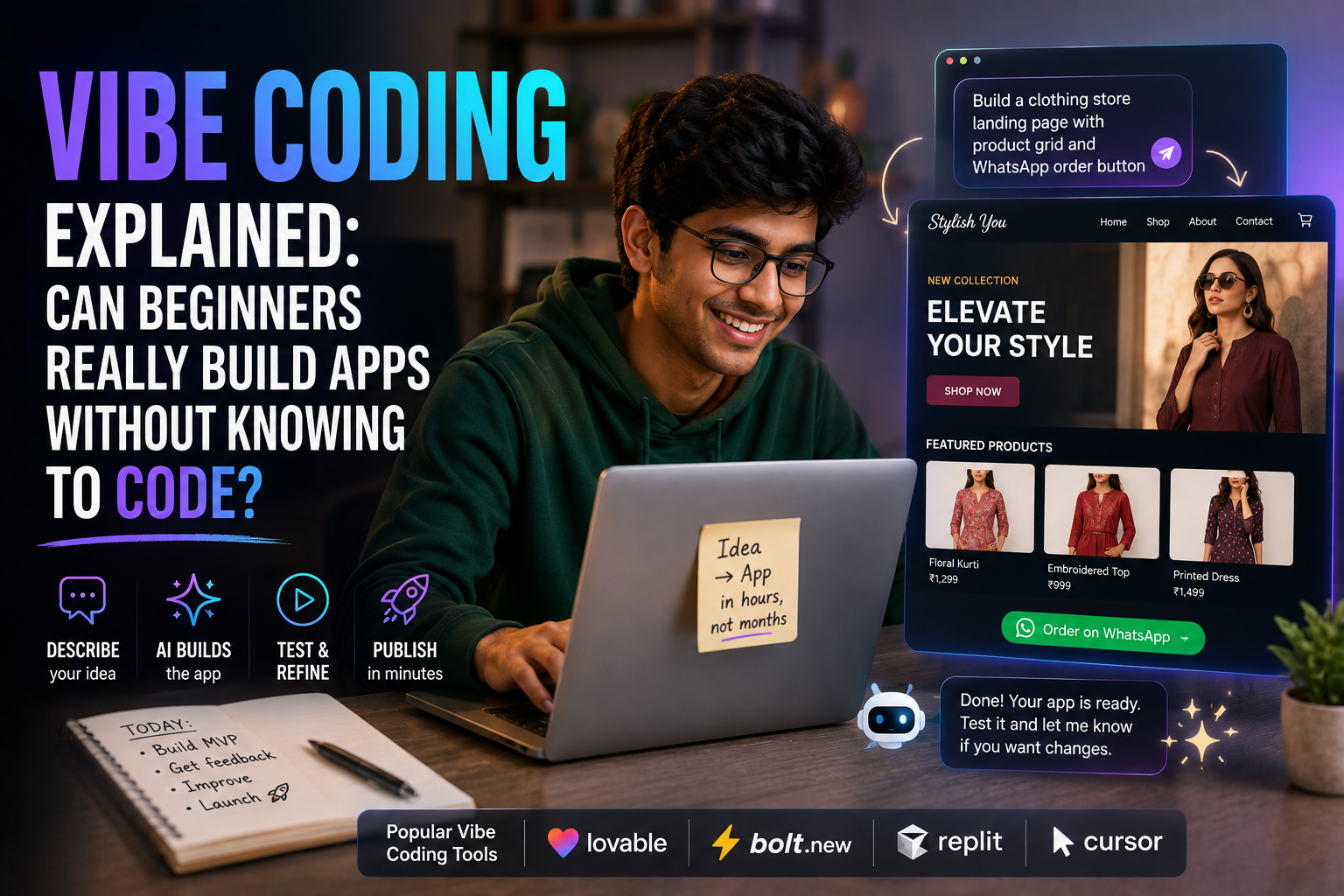
If you have spent even ten minutes on tech Twitter or LinkedIn this year, you have probably run into the term “vibe coding.” Someone builds a working app in an afternoon, posts a screen recording, and captions it “I don’t even know how to code.” Naturally, the question everyone asks next is: can a total beginner in Chennai, Coimbatore, or Bengaluru actually do this too, or is it just influencer hype?
Short answer: Yes, beginners can genuinely build working apps using vibe coding tools like Lovable, Bolt.new, or Replit, especially simple websites, landing pages, and internal tools. But “no coding knowledge needed” does not mean “no learning curve” or “production-ready results guaranteed.” There is a real gap between a working prototype and a business-ready application, and understanding that gap is what separates people who succeed with vibe coding from people who get frustrated and give up.
I have been using these tools regularly for client work and my own side projects, so this article is less theory and more “here’s what actually happens when you try it.”
What Is Vibe Coding, Actually?
The term was coined in early 2025 by AI researcher Andrej Karpathy to describe a new way of building software: instead of typing out functions and syntax line by line, you describe what you want in plain English (or Tamil-English mixed, honestly, most AI tools handle that fine), and an AI model writes, runs, and fixes the code for you.
You are not reading every line. You are not debugging syntax errors manually. You are having a conversation with the AI, looking at what it built, and saying things like “make the button blue” or “the login isn’t working, please fix it.”
In short: you focus on the what, and the AI handles the how.
How It’s Different From Traditional Coding
| Traditional Coding | Vibe Coding |
|---|---|
| You write and understand every line | AI writes the code, you review the result |
| Requires learning a programming language | Requires learning how to prompt and describe clearly |
| Debugging means reading error logs | Debugging often means describing the bug in words |
| Slower to start, but you fully own the logic | Faster to start, but you may not understand what’s under the hood |
Who Are These Tools Actually Built For?
This is where a lot of beginners get confused, because “vibe coding tools” is actually an umbrella term covering two very different categories.
1. AI app builders (no coding background needed) Tools like Lovable, Bolt.new, Replit, and Base44 let you type a description like “build me a website for my tuition center with an enquiry form” and generate a working app, front end and back end included. This is the category most beginners should start with.
2. AI-assisted code editors (some coding background helps) Tools like Cursor, GitHub Copilot, and Windsurf are built on top of existing code editors. They speed up developers who already know how to code. If you have zero programming background, these will feel more confusing than helpful, since they still assume you understand project structure and files.
If you’re a student, small business owner, or content creator with no coding background, stick to category one first. Trying to “vibe code” using Cursor without any programming basics is like trying to use Photoshop’s layer panel before you know what a layer is.
My Actual Experience Trying This With a Non-Technical Task
A friend runs a small clothing boutique and wanted a simple landing page with a WhatsApp order button, product photos, and a contact form. No prior coding experience on either of our parts for this particular build.
Here is roughly how the process went using an AI app builder:
- Described the goal in one paragraph “a clean landing page for a women’s clothing boutique, with a hero banner, a product grid, and a WhatsApp order button.”
- Got a working draft in under two minutes. It was rough, but it had structure, buttons, and layout.
- Refined it through follow-up prompts “make the hero banner full width,” “change the colour theme to maroon and gold,” “add a section for customer reviews.”
- Hit a snag the WhatsApp button initially opened a broken link. Instead of fixing code, I just typed: “the WhatsApp button isn’t opening chat correctly, please fix it and use this number format: +91XXXXXXXXXX.” The AI corrected it in the next response.
- Published it using the tool’s built-in hosting option.
Total time: under an hour, with zero lines of code written by hand. That part of the hype is genuinely true.
Where it got harder: when we later wanted a proper admin panel to manage orders and inventory, with logins for two different staff members. That required a lot more back-and-forth, and some concepts (like user roles and permissions) needed me to actually understand what I was asking for, even if I wasn’t writing the code myself.
The Honest Limitations Nobody’s Reels Mention
Being balanced here matters more than being exciting, so let’s talk about the trade-offs.
1. Simple apps work well. Complex apps need real oversight.
Landing pages, portfolios, simple forms, and MVP prototypes are where vibe coding shines. The moment you need secure logins, payment processing, database relationships, or compliance (think GST invoicing, data privacy for user info), you’re in territory where AI-generated code often works for a demo but breaks under real-world load or gets flagged in a security review.
2. You still need to think logically, even without syntax.
“No coding knowledge” doesn’t mean “no thinking required.” You need to describe features clearly, catch when something looks wrong, and break big requests into smaller ones. Vague prompts produce vague, broken results.
3. Credits and pricing can sneak up on you.
Most of these platforms Lovable, Bolt.new, Replit, Cursor run on a credit or token system layered on top of a monthly subscription, generally somewhere in the ₹800 to ₹4,000+ per month range depending on the plan and platform (pricing changes often, so always check the current plan on the provider’s site before committing). A single complicated prompt that sends the AI down the wrong path can burn through credits fast. Start on free tiers before paying.
4. Code ownership varies by tool.
Some builders (like Lovable and Bolt.new) let you export the underlying code so you can host it anywhere. Others (like Replit) tend to keep your app’s hosting, database, and authentication tied more closely to their own platform, which is convenient at first but can mean extra work if you ever want to move elsewhere later.
5. “Vibe coded” apps often need a developer eventually.
If your idea takes off and you need real scale, security audits, or integrations with payment gateways like Razorpay, most people either hire a developer to clean up the AI-generated foundation or rebuild key parts properly. Think of vibe coding as an incredible way to validate an idea fast, not necessarily the final production system.
A Simple Step-by-Step Way to Start (Even If You’ve Never Coded)
- Pick one small, real problem you have a portfolio site, a simple quiz app, a booking form for your tutoring service.
- Choose a beginner-friendly app builder with a free tier so you can experiment without spending money.
- Write a clear first prompt describing the purpose, the main sections, and who will use it.
- Review the first output like a customer would, not like a programmer. Does it make sense? Does it look right?
- Fix issues with plain-language feedback describe what’s wrong and what you expect instead, one issue at a time.
- Test everything yourself before sharing it click every button, submit every form.
- Publish using the platform’s built-in deploy option, then share the link and get real feedback.
FAQ
Is vibe coding actually free to try? Most tools, including Lovable, Bolt.new, and Replit, offer a free tier with limited monthly credits. This is enough to build and test a small project, though heavier or more complex builds usually require a paid plan.
Do I need to learn any coding at all? Not to get started with simple apps, no. But learning basic concepts like what a “database,” “API,” or “user login” means will help you describe what you want more clearly and catch mistakes faster, even without writing a single line yourself.
Can I build a real business app this way, like an e-commerce store with payments? You can build a working prototype quickly, but for anything involving real payments, customer data, or compliance, it’s worth having a developer review the final build before you go live. Treat the AI-built version as your fast first draft, not necessarily the finished product.
Which tool should a total beginner try first? Start with an AI app builder rather than a code editor, since app builders are designed for people with no programming background. Try a couple of free tiers side by side on the same small project and see which one’s interface and output style you personally prefer, since they do differ.
Try This Next
Pick a tiny project you actually care about, even something as small as a one-page portfolio or a form to collect feedback from your students or customers. Open a free-tier AI app builder, describe your idea in two to three sentences, and see what comes back in the first minute. That single experiment will teach you more about vibe coding’s real strengths and limits than any article, including this one.
— Sujith