If you have used ChatGPT, Gemini, or Claude in the last year, you already know the drill. You type a question, you get an answer, you copy it into your document, and you move on. That was the first era of AI at work. It is quietly ending.
In short: Google and Anthropic are both moving past chatbots and into “agentic AI” tools like Gemini Enterprise and Claude Cowork that don’t just answer questions, they actually do the work: filling forms, organising files, drafting reports, and running multi-step tasks with minimal supervision. For Indian professionals, students, and small business owners, this shift matters because the AI tools you already pay for are quietly turning into digital coworkers.
I run several client projects using Claude and Gemini side by side, and I have spent the last few months testing both companies’ agent products in real workflows content calendars, expense sorting, competitor research, and small automation tasks. This article breaks down what “agentic AI” actually means, how Google and Anthropic are approaching it differently, and how you can start using it without getting overwhelmed.
What Does “AI Agent” Actually Mean?
Before we go further, let’s clear up the jargon, because “agent” gets thrown around loosely these days.
A traditional AI chatbot is reactive. You ask, it answers, the conversation ends when you stop typing.
An AI agent is different in three specific ways:
- It takes actions, not just gives answers. It can open files, browse the web, edit spreadsheets, send drafts, or use connected apps like Gmail, Slack, or Google Drive.
- It works across multiple steps without you re-prompting every time. You give it a goal “organise this folder of invoices and build a monthly summary” and it plans and executes the steps itself.
- It can run in the background. Some newer agents keep working even after you close the laptop, and notify you only when they need a decision or approval.
Think of the difference between asking a smart intern a question versus actually assigning them a task and checking back later. That’s the shift happening right now.
How Google Is Pushing Agents Into the Workplace
Google’s approach is built around Gemini Enterprise, which the company has been repositioning as “the front door to AI in the workplace” rather than just another chat window.
Gemini Enterprise Agent Platform
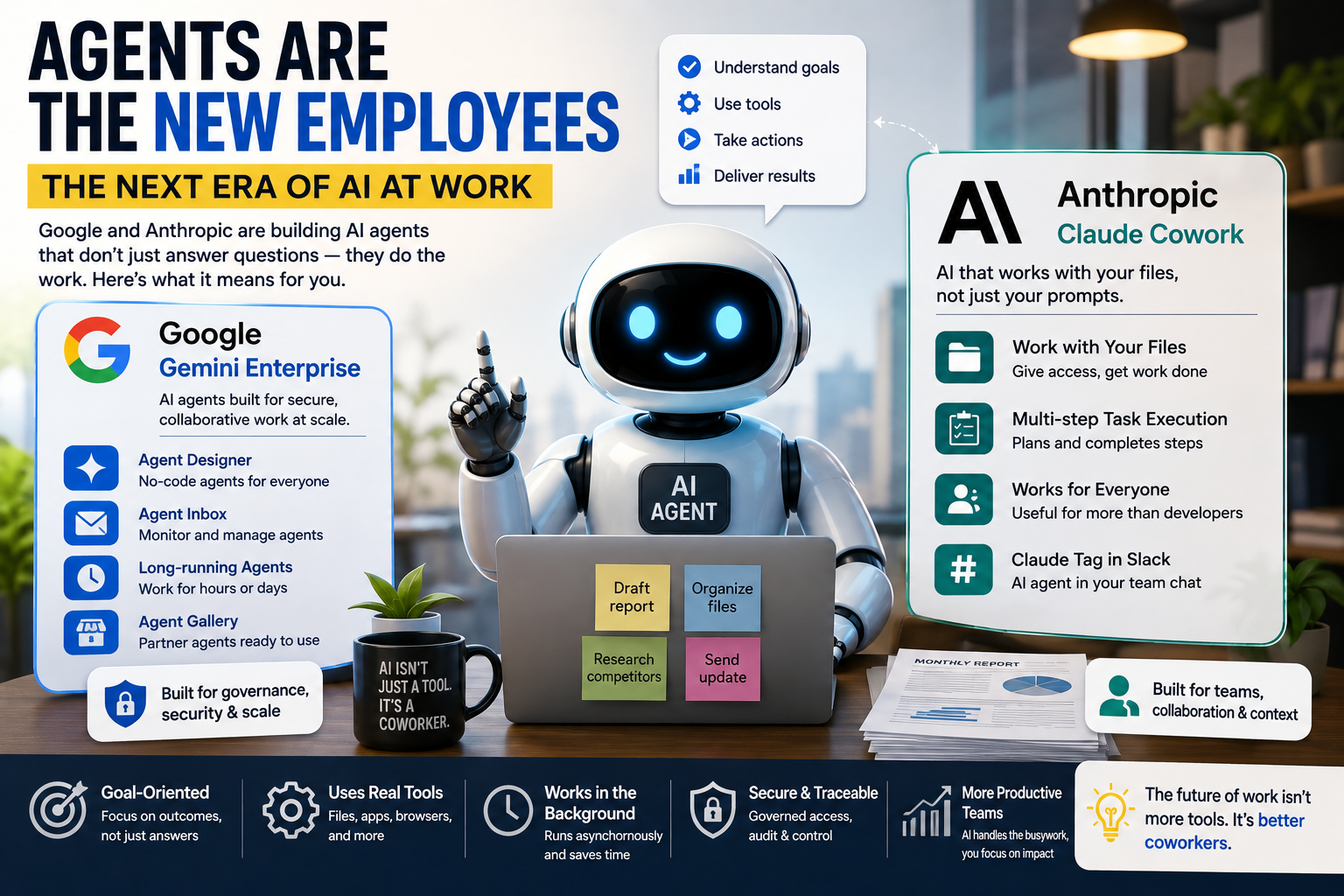
At Google Cloud Next 2026, Google announced the Gemini Enterprise Agent Platform, described as an end-to-end system built for agents that can execute complex, multi-step work processes, combining frontier models, a development framework, and tools to deploy agents at scale. This isn’t aimed only at developers it comes with a no-code layer too.
A few components worth knowing:
- Agent Designer – a no-code way for regular employees to build their own task-specific agents, rather than relying only on IT teams.
- Agent Inbox – a way to manage and monitor agent activity across the organisation, so a manager can see what agents are doing rather than treating them as black boxes.
- Long-running agents – agents designed to work on tasks that stretch over hours or days, not just a single chat session.
- Agent Gallery / Marketplace – partner-built agents from companies such as Adobe and Atlassian, available directly inside the Gemini Enterprise app, so businesses don’t have to build everything from scratch.
Why Governance Is the Real Story
What stands out about Google’s messaging is less about flashy demos and more about control. Google has framed the shift as building a “secure, collaborative autonomous engine” for business, giving agents their own identity, registry, and gateway so they can be traced, monitored, and managed. That’s a very deliberate response to a real fear IT departments have: dozens of ungoverned agents quietly touching sensitive company data with nobody keeping track.
If you run a small team or a growing startup in India, this governance angle matters more than it sounds. The moment you let an AI agent touch your CRM, your invoicing tool, or your customer emails, “who approved this action and can we audit it” becomes a real question, not a hypothetical one.
How Anthropic Is Pushing Agents Into the Workplace
Anthropic’s flagship developer tool, Claude Code, was originally built for programmers working from a terminal. But something interesting happened: non-developers started adopting it too writers, analysts, and operations professionals used a command-line tool to sort files, compile research, and draft reports, because an AI with direct file access turned out to be useful for far more than code.
Anthropic’s answer to that unexpected demand is Claude Cowork.
What Claude Cowork Actually Does
Cowork allows users to give Claude access to a specific folder on their computer and then give plain-language instructions for tasks such as filling out an expense report from a folder full of receipt photos, writing reports from a stack of digital notes, or reorganising a messy desktop folder.
That’s a very concrete, hands-on kind of usefulness. I’ve tested this exact kind of workflow pointing an agent at a folder of scanned bills and asking for a categorised summary and the time saved versus manually sorting through PDFs is genuinely noticeable, even if the output still needs a quick human review before you trust it fully.
From Desktop to Everywhere
Cowork didn’t stay a desktop-only feature for long. By July 2026, Anthropic expanded Cowork to the web at claude.ai and to mobile on iOS and Android, running sessions on Anthropic’s own servers so tasks keep running and scheduled work can continue even with no device online. Practically, that means you could kick off a research task on your laptop before a meeting, get notified on your phone when Claude needs an approval, and pick up the finished draft later on a different device.
Anthropic has been fairly candid about the reasoning behind this shift, noting that handing AI actual work “accumulates overnight, between meetings, on the train” a nod to the fact that work doesn’t happen in neat one-hour sessions, and neither should the tools that help with it.
Google vs Anthropic: The Practical Differences
Both companies are chasing the same idea agents that behave like coworkers rather than search boxes but the emphasis differs:
| Google (Gemini Enterprise) | Anthropic (Claude Cowork) | |
|---|---|---|
| Primary audience | Large enterprises with IT governance needs | Individuals and teams, scaling up to businesses |
| Strength | Deep integration with Workspace, Salesforce, and enterprise data; strong governance tooling | Simple, folder-based task delegation; strong file and document handling |
| Entry point | No-code Agent Designer inside Gemini Enterprise app | Claude desktop, web, and mobile app, alongside Claude Chat |
| Best early use case | Company-wide agent registry and multi-department automation | Individual or small-team document, research, and file organisation tasks |
Neither approach is objectively “better” they solve slightly different problems, and if your organisation already runs on Google Workspace or Microsoft tools, that existing ecosystem will likely shape which one fits more naturally.
A Simple Way to Try This Yourself
You don’t need an enterprise contract to get a feel for agentic AI. Here’s a beginner-friendly way to test it:
- Pick one repetitive task you do weekly sorting invoices, drafting a status report, summarising customer feedback from a spreadsheet.
- Gather the source files into a single folder so the agent has clean context to work with.
- Write a clear, outcome-focused instruction instead of a vague one. “Summarise these” is weak; “read these 12 customer feedback PDFs and list the top 5 recurring complaints with counts” is strong.
- Let the agent run, but review before you send anything out. Treat the first draft as a competent assistant’s work, not a finished deliverable.
- Note what it got wrong. Agentic tools are still prone to misreading messy data or making assumptions tracking these gaps helps you write better instructions next time.
Limitations You Should Know Before Relying on Agents
It’s easy to get swept up in the hype, so a few honest caveats:
- Agents can misinterpret ambiguous instructions, especially with messy real-world data like handwritten receipts or inconsistent spreadsheets.
- Trust and verification still matter. Treat agent output the way you’d treat a junior employee’s first draft useful, but not final.
- Pricing and access tiers change often. Both Google and Anthropic have been rapidly rolling out and adjusting access across their plans (Gemini Enterprise Business/Enterprise tiers, Claude’s Pro/Max plans), so always check the current official pricing pages before committing budget.
- Data governance is not automatic. If you’re connecting an agent to company email, CRM, or financial tools, set up permissions deliberately rather than granting broad access by default.
- These tools are evolving fast. Features described here may be renamed, merged, or expanded by the time you read this that’s normal for a market this young.
FAQ
1. Is Claude Cowork available for free users in India? Availability has been expanding across plans since launch, starting with paid tiers like Claude Max before rolling out more broadly. Check Anthropic’s official pricing page for the current status in your region, since this changes frequently.
2. Do I need coding skills to use Gemini Enterprise or Claude Cowork? No. Both are designed with no-code entry points Gemini Enterprise’s Agent Designer and Claude Cowork’s plain-language folder instructions specifically so non-technical users can delegate tasks without writing scripts.
3. Are AI agents safe to connect to sensitive business data? They can be, if you set up proper permissions and review workflows. Both companies emphasise governance and auditability features, but the responsibility for controlling access still sits with your organisation, not the AI provider.
4. Will AI agents replace jobs like data entry or basic reporting? They will likely change how those jobs are done more than eliminate them outright, at least in the near term. Repetitive, well-defined sub-tasks are the most exposed; judgment-heavy work that needs context, negotiation, or accountability still needs a human in the loop.
Your Next Step
Don’t try to overhaul your entire workflow overnight. Pick one boring, repetitive task you already dislike doing expense sorting, meeting note summaries, or a weekly content calendar and try running it through Claude Cowork or Gemini Enterprise’s Agent Designer this week. Compare the output to how you’d normally do it, note where it saved time and where it needed correction, and build from there. That one small experiment will teach you more about agentic AI than any amount of reading about it.
— Sujith