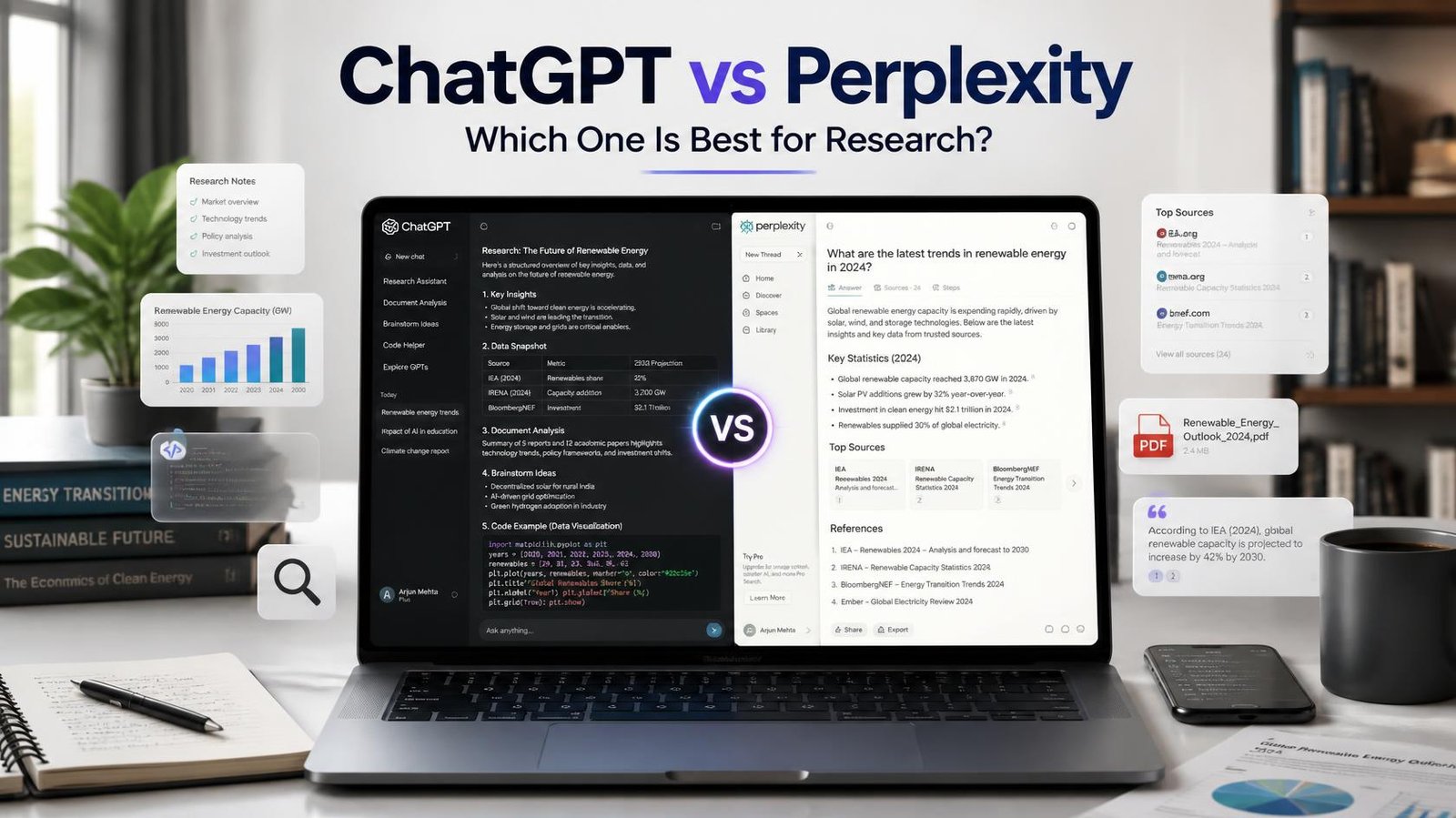
If you have typed “ChatGPT vs Perplexity best for research” into Google, you are probably trying to decide which AI tool deserves a spot in your daily workflow not just for chatting, but for actual research: college assignments, market reports, client pitches, or blog posts that need real facts.
Here is the short answer: Perplexity is generally better for research that needs live, cited, up-to-date sources, while ChatGPT is better when you need deep reasoning, longer writing help, or a tool that can also code, brainstorm, and manage multi-step projects. Most serious researchers I know end up using both, just for different jobs.
I have used both tools almost every day for over a year for content research, competitor analysis, and even helping students structure assignments. Let me walk you through what actually happens when you put them to work, not just what the marketing pages say.
What “Research” Actually Means Here
Before comparing, it helps to define the job. When people say they want an AI tool “for research,” they usually mean one of these:
- Finding current facts, statistics, or news with sources
- Summarizing long PDFs, papers, or reports
- Comparing products, tools, or ideas
- Getting a well-reasoned explanation of a complex topic
- Drafting a research-backed article, essay, or report
ChatGPT and Perplexity approach all five very differently, because they were built with different priorities from day one.
How ChatGPT Approaches Research
ChatGPT, built by OpenAI, started as a conversational reasoning engine. Its core strength is thinking through a problem, not necessarily fetching the freshest fact from the internet.
Strengths for research
- Deep reasoning and synthesis. If you ask ChatGPT to compare three economic theories or explain why a marketing campaign might fail, it can reason through the logic step by step, not just retrieve information.
- Long-form output. ChatGPT is comfortable writing a 2,000-word literature review or restructuring a messy set of notes into a coherent report.
- File and document handling. You can upload PDFs, spreadsheets, or slide decks and ask ChatGPT to analyse, summarize, or extract data from them.
- Web browsing when needed. Modern ChatGPT plans can search the web and cite sources for current events, though this is an added capability rather than its core design.
- Multi-step agent features. Paid tiers include tools like Deep Research, which can run a multi-step investigation and return a structured report with citations genuinely useful for competitive analysis or market scans.
Where it falls short
- Free-tier ChatGPT has message limits and, without browsing turned on, can lean on older training data instead of the latest information.
- It sometimes states things confidently without a source attached, so you still need to verify facts independently a habit every researcher should keep regardless of the tool.
- Citations, when present, are not always as tightly integrated into every answer the way they are in Perplexity’s default experience.
How Perplexity Approaches Research
Perplexity was built from the ground up as an “answer engine.” Every standard search runs a live web query first, then generates an answer with numbered citations you can click through immediately.
Strengths for research
- Citations by default. Nearly every response comes with source links, so you can verify claims without a separate Google search.
- Real-time information. Because it searches the live web for most queries, it is generally stronger for anything time-sensitive recent news, pricing changes, product launches, or current events.
- Focus modes. You can narrow a search to academic papers, Reddit discussions, YouTube, or specific domains, which is genuinely handy for students hunting scholarly sources.
- Deep Research and Spaces. Higher tiers let you run more exhaustive, multi-source investigations and organize findings into shareable workspaces or threads, which is great for ongoing projects.
- Model choice on paid plans. Pro-tier Perplexity lets you switch the underlying model for a query, so you can pick the one better suited to the task at hand.
Where it falls short
- It is less suited to long creative writing or extended reasoning chains it is optimized to answer, not to co-write a 3,000-word essay from scratch.
- Free-tier daily searches and advanced features are capped, and heavier research work usually needs the Pro plan.
- Because it leans on retrieved snippets, the depth of analysis can feel shallower than a dedicated reasoning session with ChatGPT, especially for abstract or theoretical questions.
A Real Example: Researching “UPI Payment Trends in India for 2026”
Here is a walkthrough I actually tried, since this is the kind of query a marketer or content writer in India might run.
With Perplexity: I typed the query directly. It returned a concise summary with numbered citations linking to recent articles and RBI-related sources. I could click straight through to verify numbers. It took under a minute, and the “Academic” focus mode even surfaced a couple of research papers I would not have found on a normal Google search.
With ChatGPT (browsing enabled): I asked the same question. It searched the web, gave a solid explanatory answer, and cited a few sources but the response leaned more toward explaining why trends were happening rather than just listing them, which was actually more useful when I wanted the “so what” for a blog post.
My takeaway: Perplexity got me facts and sources faster. ChatGPT got me a better first draft of analysis I could build an article around. I ended up using Perplexity to gather the raw facts, then pasted the key points into ChatGPT to shape the actual article structure.
Step-by-Step: A Simple Research Workflow Combining Both
- Start in Perplexity. Ask your core research question and use a Focus mode (Academic, Social, or Writing) if relevant. Collect the citations.
- Verify and organize. Skim two or three of the cited sources yourself. AI tools can still misread a source, so a quick human check matters.
- Move to ChatGPT. Paste your verified notes and ask it to help you structure an outline, spot gaps in your argument, or draft sections.
- Ask for counterpoints. In either tool, explicitly ask “what would someone who disagrees with this argue?” This single prompt habit catches a lot of one-sided research.
- Final fact-check pass. Before publishing or submitting, re-verify any statistic or claim that matters, especially numbers, dates, and named sources.
Pricing Snapshot (Subject to Change)
Both companies update pricing and features often, so always check the official pricing pages before subscribing. As a general picture at the time of writing:
- ChatGPT offers a free tier, a Go tier around 400 rupees a month, Plus around 1,999 rupees a month with fuller model access and limited Deep Research runs, and higher Pro and Business tiers for heavier or team use.
- Perplexity offers a capable free tier, a Pro plan around 20 dollars a month (with student discounts available), and a premium Max tier aimed at power users who want expanded Deep Research and agentic features.
Neither tool’s free plan is “useless” for occasional research, both are genuinely usable without paying anything.
So, Which One Should You Actually Pick?
- Choose Perplexity if: you mainly need fast, sourced answers to specific questions, you are a student gathering references, or you are fact-checking claims for content.
- Choose ChatGPT if: you need deep reasoning, long-form writing, document analysis, or a tool that also helps with brainstorming, coding, and broader project work beyond research alone.
- Use both if: you create content professionally. This is honestly what most experienced content creators and marketers I know end up doing Perplexity for gathering, ChatGPT for shaping.
Keep in mind that both tools evolve quickly. Model updates, new features, and pricing changes happen every few months, so what is true today may shift by the time you read this. Treat any AI-generated fact, including from these tools, as a starting point rather than a final source.
Frequently Asked Questions
Is Perplexity more accurate than ChatGPT for research? Perplexity tends to be more transparent because it shows sources by default, which makes it easier for you to verify accuracy yourself. ChatGPT can also browse and cite sources, but accuracy in both tools ultimately depends on the quality of the sources retrieved and how carefully you check them.
Can I use the free versions of both tools for serious research? Yes, for light to moderate use. Free Perplexity handles quick sourced questions well, and free ChatGPT is fine for reasoning and drafting help. If you research daily or need higher usage limits and advanced features like Deep Research, the paid tiers are worth evaluating.
Which tool is better for academic assignments? Perplexity’s Academic focus mode and citation-first format make it convenient for gathering references. However, always check your institution’s policy on AI tool use before including AI-assisted research in academic work, and verify every cited source yourself.
Does Perplexity replace Google Search entirely? Not entirely. Perplexity is excellent for direct questions with clear answers, but for very broad exploratory browsing, comparing many websites, or shopping research, a traditional search engine still has its place alongside it.
Try This Next
Pick one real research task you have this week a blog topic, an assignment, or a competitor scan and run it through both tools using the five-step workflow above. Compare the sources Perplexity gives you against the reasoning ChatGPT gives you, and see which one actually saved you more time. That single side-by-side test will tell you more than any comparison article, including this one.