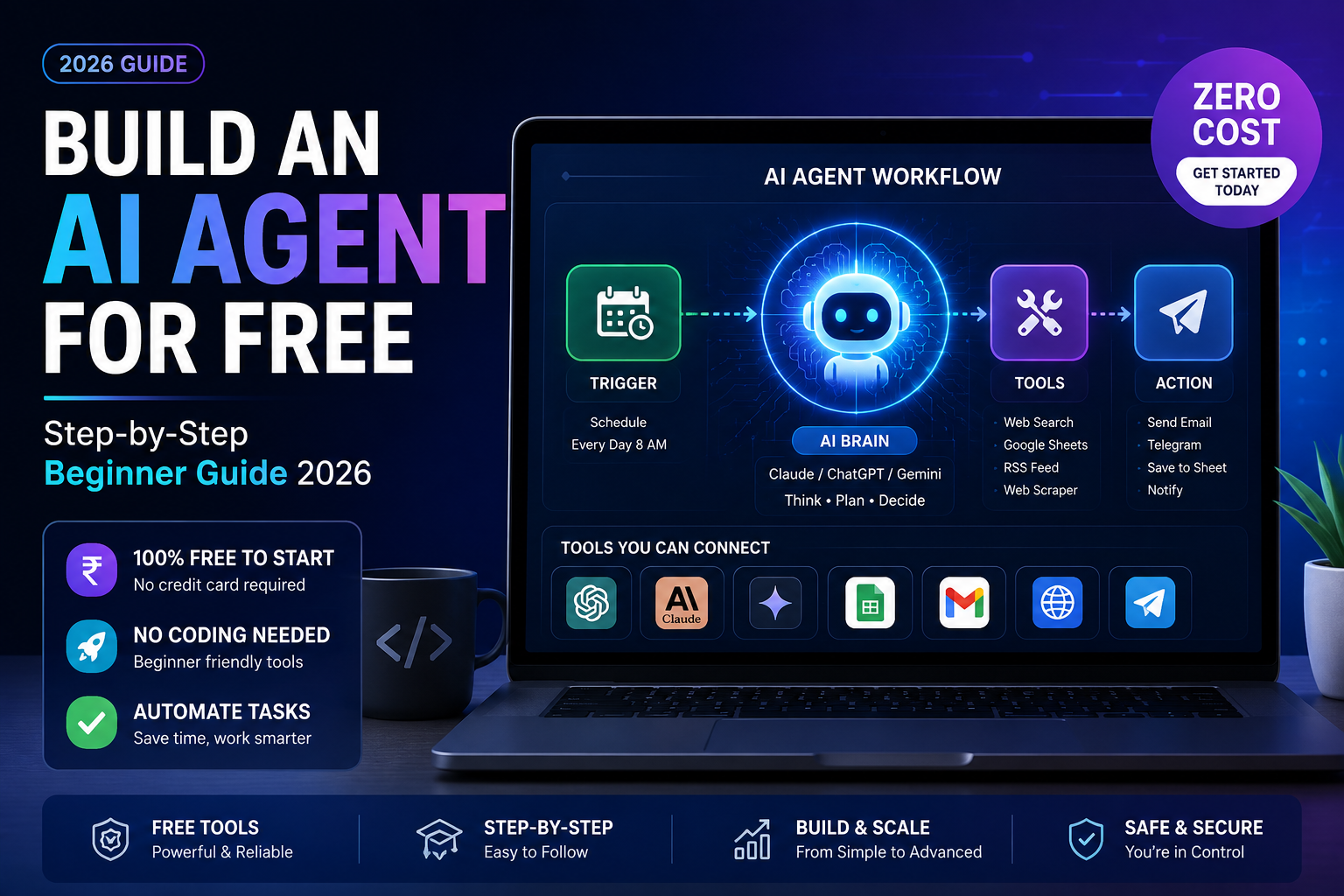
If you have been scrolling AI Twitter or YouTube lately, you have probably seen people talk about “AI agents” like they are the next big thing after ChatGPT. And honestly, they kind of are. But here is the good news for us in India, where budget always matters: you do not need a fat subscription or a computer science degree to build your first AI agent. You can do it for free, this weekend, using tools that are already sitting in your browser.
Quick answer: An AI agent is a program that uses a language model like Claude or ChatGPT to plan, use tools, and complete multi-step tasks on its own instead of just chatting with you. You can build a basic one for free using no-code platforms like n8n, free-tier APIs, or even a simple Python script running on Google Colab. This guide walks you through the exact steps, no coding background required.
I am Sujith, and I spend most of my working week testing AI tools for small business owners and content creators here in India. So this is not theory this is the same path I would tell a friend to follow if they messaged me asking “yaar, how do I actually build one of these agents?”
What Exactly Is an AI Agent?
Let us clear this up first, because the term gets thrown around loosely.
A regular chatbot answers your question and stops. An AI agent goes further. It can:
- Break a big task into smaller steps on its own
- Decide which tool to use for each step (search the web, read a file, send an email)
- Check its own output and try again if something looks wrong
- Keep working through a multi-step task without you typing every single instruction
Think of the difference like this: asking ChatGPT “write me a cold email” is a chat. Telling an agent “research these 20 companies, find their marketing head’s email, and draft a personalised cold email for each” and having it actually do that, step by step is agentic behaviour.
Do You Really Need to Pay Anything?
Not to get started. Here is what “free” realistically covers in 2026:
- Free tiers of Claude, ChatGPT, or Gemini for the “thinking” part
- Free automation platforms like n8n (self-hosted or free cloud tier) or Make’s free plan for the “doing” part
- Google Colab’s free compute if you want to write your own Python-based agent
The catch, and I will be honest about this because a lot of tutorials are not: free tiers usually come with rate limits, slower response times during peak hours, and caps on how many “runs” you get per month. For learning and small personal projects, this is completely fine. If you later want to run an agent for your business at scale, you will eventually hit a wall and need to pay for API credits.
Step-by-Step: Building Your First Free AI Agent
Step 1: Pick Your “Brain” (the LLM)
Your agent needs a language model to do the reasoning. For beginners, I usually recommend starting with whichever chat assistant you already use daily, since you already know its personality and quirks.
- Claude – strong at following detailed instructions and handling longer documents
- ChatGPT – huge plugin and integration ecosystem, very beginner-friendly
- Gemini – tightly integrated with Google Sheets, Docs, and Gmail, which is handy if your workflow lives in Google Workspace
You do not need an API key at this stage. Just use the free web chat version to test your idea first.
Step 2: Define One Narrow Task (Do Not Go Broad)
This is the mistake almost every beginner makes. They try to build “an agent that runs my entire business.” Stop. Pick one repetitive task you already do manually.
Some real examples I have built for clients using only free tools:
- An agent that reads new Google Form entries and drafts a WhatsApp-style reply
- An agent that summarises daily news on a topic and emails you a digest every morning
- An agent that checks a product’s price on a website daily and alerts you if it drops
Small scope means you finish the project and actually learn something, instead of giving up halfway.
Step 3: Choose a No-Code Automation Tool
This is where the “agent” part comes alive, connecting the LLM to real actions.
n8n is my go-to recommendation for beginners in India because:
- It has a generous free self-hosted option (you run it on your own machine or a free-tier server)
- It has native nodes for OpenAI, Claude, and Gemini
- The visual, drag-and-drop flow makes it easy to see exactly what your agent is doing at each step
Alternatives worth knowing about: Make (formerly Integromat) has a free plan with limited operations per month, and Zapier has a free tier too, though it is the most restrictive of the three.
Step 4: Build the Workflow
Here is a simple structure for our example a daily news summary agent:
- Trigger: Schedule node set to run every morning at 8 AM
- Fetch: An RSS or web-scraping node pulls headlines from 2-3 sources
- Think: Pass the headlines to Claude or ChatGPT with a prompt like: “Summarise these headlines into 5 bullet points, plain language, no jargon”
- Act: Send the summary to your own email or a Telegram bot
Each of these is a “node” you drag onto a canvas in n8n and connect with lines. No code required.
Step 5: Write a Clear System Prompt
This step is where most agents succeed or fail. A vague prompt gives you vague, unreliable output.
Weak prompt: “Summarise the news.”
Better prompt: “You are a concise news editor. Summarise the following headlines in exactly 5 bullet points. Each bullet should be under 20 words, written in plain English, with no repeated topics. Ignore anything about celebrity gossip.”
Notice the difference the second version gives the model constraints, tone, and format. That is the real skill in agent building, and it is called prompt engineering.
Step 6: Test, Break, and Fix
Run your agent five or six times before trusting it. Watch for:
- Repeated or hallucinated information
- Formatting that breaks when the input data looks slightly different
- Rate limit errors from the free tier during busy hours
This is normal. Even experienced builders spend more time debugging an agent than building it the first time.
Step 7: Add Memory or Tools (Optional, Once You’re Comfortable)
Once your basic agent works reliably, you can level up by giving it:
- A simple database (Google Sheets works fine for beginners) so it “remembers” past runs
- Web search access so it can pull live information
- Multiple LLM calls chained together, where one step checks the previous step’s work
A Real Example From My Own Testing
I built a small agent last month that monitored a competitor’s Instagram bio link page and pinged me on Telegram whenever their pricing page changed. It used n8n’s free tier, a scheduled trigger every 6 hours, and a simple prompt asking the model to compare old and new scraped text and flag differences. Total cost: zero rupees, other than my own time figuring out the scraping node, which took about an hour of trial and error.
It is not perfect it occasionally flags a false positive when the page layout shifts slightly but for a free tool built in an afternoon, it does its job.
Limitations You Should Know Before You Start
Being upfront here, because too many guides oversell this stuff:
- Free API and platform tiers have request limits; heavy daily use will eventually need a paid plan
- Agents can still hallucinate or misinterpret instructions, so do not connect one directly to anything irreversible (like sending payments) without human review
- Model behaviour and free-tier limits change fairly often, so what works today might need small tweaks in a few months
- Self-hosting n8n needs a bit of comfort with basic server setup if you go beyond the free cloud sandbox
None of these are dealbreakers for a beginner project, but set your expectations accordingly.
FAQ
Is it actually possible to build an AI agent with zero budget? Yes, for learning and small personal projects. You will run into usage limits on free tiers of both the LLM and the automation platform, but you can build and run a genuinely useful agent without spending anything.
Do I need to know how to code? No. Tools like n8n are drag-and-drop. Coding helps if you want more control later, but it is not required to get your first agent working.
Which is better for agents, Claude or ChatGPT? Both work well for beginners. Claude tends to follow detailed, multi-step instructions closely, while ChatGPT has a wider plugin ecosystem. Try your workflow on both free tiers and see which gives you more consistent results for your specific task.
How long does it take to build a basic AI agent? A simple single-task agent, like the news summariser example above, can realistically be built in 1-3 hours once you know your way around n8n’s interface, including testing and fixing small errors.
Your Next Step
Do not read another ten articles about this before trying it. Open n8n’s free tier today, pick one boring, repetitive task you do every week, and build just the three-step version: trigger, LLM call, action. Get that working first. Once it runs reliably for a week, come back and add the extra tools and memory features. Start small, ship something real, and improve it from there.