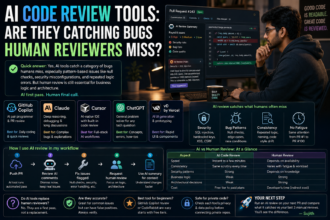
If you’ve ever watched a developer friend type a half-sentence comment and then hit Tab to auto-complete an entire function, you’ve seen AI for coding in action. In short: AI coding tools like GitHub Copilot, Claude, and ChatGPT save developers time by handling repetitive code, catching bugs early, writing boilerplate, and explaining unfamiliar code often cutting hours of manual work down to minutes. They don’t replace developers, but they do remove a lot of the tedious parts of the job.
I’ve been using these tools daily for the last couple of years, on everything from small freelance projects to helping students in Chennai debug their first Python assignments. This article walks through exactly how AI is changing the coding workflow, with real examples, honest limitations, and practical steps you can try today.
What Does “AI for Coding” Actually Mean?
“AI for coding” refers to tools powered by large language models (LLMs) that assist with writing, reviewing, debugging, or explaining code. These tools generally fall into a few categories:
- In-editor autocomplete tools – like GitHub Copilot, which suggests code as you type inside VS Code or JetBrains IDEs.
- Chat-based coding assistants – like Claude or ChatGPT, where you describe a problem in plain English and get code, explanations, or fixes back.
- Agentic coding tools – like Claude Code or Cursor’s agent mode, which can read your whole codebase, make multi-file changes, and even run commands on your behalf.
Each type saves time differently, and most developers I know actually use a combination of all three depending on the task.
How Developers Actually Save Time With AI
1. Writing Boilerplate Code Instantly
Every project has repetitive setup work API routes, form validation, database models, test scaffolding. This is the single biggest time-saver I’ve noticed in my own work.
For example, instead of manually writing a Node.js Express route with error handling, input validation, and a response format, I can describe it in one sentence and get a working draft in seconds. I still review and adjust it, but the first 70-80% of typing is gone.
2. Debugging Faster With Context
Traditionally, debugging meant Googling an error message, scrolling through five Stack Overflow threads, and hoping one of them matched your exact situation. Now, pasting the error along with the relevant code into a chat assistant usually gets you a plausible cause and fix within a minute or two.
This doesn’t always work on the first try sometimes the AI misreads the context or suggests a fix that doesn’t apply to your framework version. But even a “close enough” answer often points you in the right direction faster than manual searching.
3. Understanding Unfamiliar Code
If you’ve inherited a legacy codebase (every developer eventually does), reading through undocumented functions can eat an entire day. Pasting a function into Claude or ChatGPT and asking “explain what this does, step by step” gives you a working mental model in minutes instead of hours of manual tracing.
4. Writing Tests Without the Dread
Most developers agree writing tests is important and also somewhat tedious. AI tools are genuinely good at generating unit test skeletons based on your function signatures and logic. You still need to verify edge cases yourself, but the initial structure imports, test cases, assertions gets done almost instantly.
5. Refactoring and Code Reviews
Agentic tools like Claude Code can scan an entire repository and suggest renaming variables, splitting large files, or updating deprecated syntax across multiple files at once. This used to be a slow, error-prone manual process; now it’s closer to reviewing a suggested diff and approving it.
A Simple Step-by-Step Workflow I Use
Here’s a practical workflow that has worked well for me on small to medium projects:
- Describe the feature in plain English to a chat-based assistant (e.g., “Build a REST API endpoint that accepts a user signup form and validates email format”).
- Review the generated code line by line don’t blindly copy-paste, especially for anything touching authentication or payments.
- Ask follow-up questions like “what happens if the email field is empty?” to stress-test the logic.
- Request tests for the function you just wrote.
- Run it locally, fix any errors (often by pasting the error back into the same chat), and repeat until it works.
- Ask for a plain-English summary of the final code if you need to document it for teammates or clients.
This loop typically takes a fraction of the time compared to writing everything from scratch.
Choosing a Tool: A Quick Comparison
| Tool Type | Good For | Trade-off |
|---|---|---|
| GitHub Copilot | Fast inline suggestions while typing | Works best inside supported IDEs; suggestions can be generic without good context |
| Claude / ChatGPT (chat) | Explaining code, debugging, planning architecture | Requires copy-pasting code back and forth unless using an IDE integration |
| Claude Code / Cursor Agent | Multi-file changes, larger refactors | More powerful but needs careful review since it touches more of your codebase at once |
Most of these tools offer a free tier with usage limits, plus paid plans for higher limits or more advanced models. Pricing and feature tiers change fairly often, so it’s worth checking the official pricing page before assuming what’s included.
Where AI Coding Tools Still Fall Short
It’s tempting to treat AI-generated code as automatically correct, but that’s a mistake I’ve made myself early on. Some honest limitations:
- It can be confidently wrong. AI tools sometimes generate code that looks correct but has subtle logic errors or uses deprecated library methods.
- Context windows are limited. Very large codebases may not fit entirely into a single conversation, so the AI might miss how a change affects a distant part of the project.
- Security-sensitive code needs extra scrutiny. Authentication, payment processing, and data handling code generated by AI should always be reviewed by someone with security knowledge, not accepted as-is.
- It doesn’t replace understanding fundamentals. Students especially should be careful not to skip learning core programming concepts just because AI can generate the answer.
None of this means avoid these tools it means use them as a fast, capable assistant, not an unsupervised replacement for your own judgment.
Why This Matters for Indian Developers, Students, and Small Businesses
For students in India learning to code, these tools can act like a patient tutor available at 2 AM before an assignment deadline explaining errors without judgment. For small business owners and marketers who aren’t full-time developers, AI coding assistants make it realistic to build a simple website, automate a spreadsheet task, or fix a broken script without hiring a developer for every small job. For freelancers and working developers, the time saved on boilerplate and debugging often translates directly into taking on more projects or spending more time on the parts of the job that actually need human creativity system design, architecture decisions, and user experience.
Frequently Asked Questions
Is AI coding assistance free to use? Most major tools, including GitHub Copilot, Claude, and ChatGPT, offer a free or limited tier that’s enough for casual use, students, and small projects. Paid plans typically unlock higher usage limits, faster or more capable models, and additional features. Exact pricing changes over time, so check the current plans on the provider’s website.
Can AI coding tools replace developers? Not currently. They speed up specific tasks like writing boilerplate, debugging, and explaining code, but decisions around architecture, business logic, security, and user needs still require human judgment and experience.
Which AI tool is best for beginners learning to code? A chat-based assistant like Claude or ChatGPT tends to be more beginner-friendly since you can ask it to explain concepts in plain language, not just generate code. In-editor tools like Copilot are more useful once you’re already comfortable reading and adjusting code quickly.
Is it safe to use AI-generated code in production? It can be, as long as you review it carefully — especially for security-sensitive areas like authentication, payments, or data storage. Treat AI output as a strong first draft, not a final, verified solution.
Your Next Step
If you haven’t tried this workflow yet, here’s a simple way to start today: open a free-tier chat assistant like Claude, and paste in a small function from a recent project. Ask it: “Explain what this code does, and suggest one improvement.” See how accurate and useful the response is for your specific codebase, then try the same prompt with a different tool to compare results before deciding which one fits your workflow best.
— Sujith