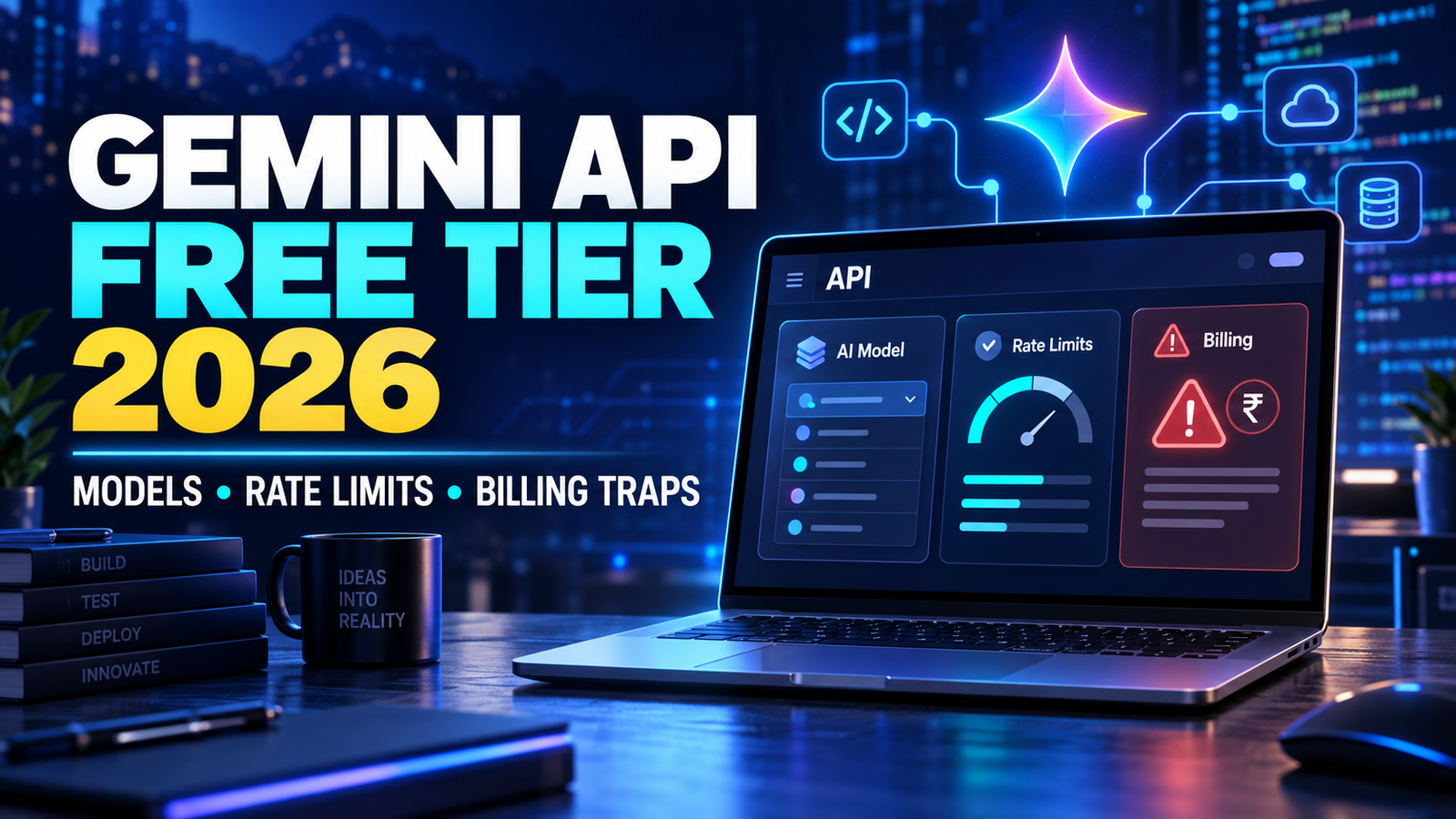
You build a small AI tool, test it successfully for two days, and then it suddenly returns a 429 RESOURCE_EXHAUSTED error. Or you enable billing to unlock higher limits and later discover that thinking tokens, search grounding, or an automatic credit reload changed the cost.
The Gemini API free tier in 2026 is genuinely useful, but it is not an unlimited version of every Gemini model. The free tier gives eligible projects limited access to selected models with free input and output tokens. The exact models and rate limits can change, and activating paid billing introduces rules that beginners often overlook.
Short answer: You can use the Gemini API free tier for learning, prototypes, personal automations, content tools, and small internal applications. Before building around it, check whether your exact model has a free API price, inspect the active limits for your project in Google AI Studio, and understand how your data and billing treatment change when you move to a paid tier.
Accuracy note: This guide was checked against Google’s official Gemini API documentation in September 2026. Models, quotas, prices, and regional availability can change. Verify the current pricing, rate limits, and model catalogue before launching a production service.
What Is the Gemini API Free Tier?
The Gemini API lets developers connect supported Google AI models to websites, mobile applications, WordPress tools, n8n workflows, chatbots, and backend services. Depending on the model, an application may process text, images, PDFs, audio, or video.
Google AI Studio is the browser-based environment where you can test prompts, create an API key, and inspect your project. The Gemini API is the developer interface used by your code.
The free tier is a project-level usage tier. Google describes it as providing limited access to certain models, free input and output tokens, and access to AI Studio. It is not a promise that every model in AI Studio can be called from your application without payment.
This distinction matters. A model may appear in AI Studio for testing but show “Not available” under the API pricing page’s Free Tier column. Always verify the exact model ID instead of assuming the entire Gemini catalogue is free.
The API is also separate from the consumer Gemini application. Paying for a Google AI subscription does not automatically give an API project unlimited usage. Your API key, project tier, active quotas, and billing account determine API access.
Gemini API Free-Tier Models Available in 2026
Google’s model catalogue changes quickly. As of September 2026, it includes the Gemini 3.x family, 2.5 models, live voice models, image generators, transcription models, embeddings, and specialised agents.
However, “listed in the catalogue” does not mean “included free.” The safest source is the Free Tier column on the official pricing page.
At the time of checking, useful examples with free standard input and output included:
| Model | Good starting use | Free-tier position at time of checking |
|---|---|---|
gemini-3.8-flash | Multimodal reasoning, coding, agents, and complex workflows | Free standard input and output listed |
gemini-3.5-flash-lite | High-volume extraction, translation, classification, and simpler agent tasks | Free standard input and output listed |
gemini-3.1-flash-lite | Low-latency multimodal processing and lightweight automation | Free standard input and output listed |
| Selected Gemini 2.5 text models | Existing applications, summaries, reasoning, and compatibility testing | Some continue to list free standard usage; verify the exact model |
| Gemini Embedding | Semantic search, similarity matching, and RAG | Free access is listed for supported embedding usage; check the current pricing row |
Gemini 3.8 Flash is currently described by Google as its most intelligent stable Flash model. The pricing page lists free standard input and output for it, while paid use is priced per million tokens. Google also counts thinking tokens in the paid output category.
Do not assume neighbouring models share the same free status. Some models in the Gemini 3.x catalogue can be paid-only through the API even when another Flash or Flash-Lite model offers free standard usage.
Stable, Preview, Latest and Experimental Models
Google uses different model labels:
- Stable: Intended to remain relatively consistent. Usually the safest choice for production.
- Preview: Early access with possible changes, tighter limits, and a shorter deprecation path.
- Latest aliases: Convenient names that may later point to a newer version.
- Experimental: Suitable for testing, but not a dependable foundation for a customer-facing application.
For production work, I prefer pinning a specific stable endpoint such as gemini-3.8-flash and testing any replacement separately. A “latest” alias saves setup time, but an automatic model change can alter formatting, tool behaviour, latency, and output quality.
This is not theoretical. Google’s catalogue already marks several previous endpoints as shut down and recommends migration to newer models. A model lifecycle check should therefore be part of every application update.
How Gemini API Rate Limits Work
There is no single number called “the Gemini free limit.” Rate limits depend on the selected model, project tier, account standing, region, and available capacity.
Common measurements include:
- RPM – requests per minute: The number of calls your project can make in a minute.
- TPM – tokens per minute: The amount of input and output text the model can process per minute.
- RPD – requests per day: The daily request allowance where applicable.
- Model or feature limits: Live audio, image generation, grounding, batch processing, and other tools may have separate controls.
Whichever threshold is reached first becomes the bottleneck.
A chatbot may remain below its RPM allowance but exceed TPM because users paste long documents. A classification workflow may use very few tokens per call but exhaust its request allowance by processing thousands of rows separately.
Google says active rate limits can be viewed in AI Studio and may update as the project’s tier or account status changes. It also warns that published limits are not guaranteed capacity. That is why copying a quota table from an old tutorial is risky.
What Does a 429 RESOURCE_EXHAUSTED Error Mean?
A 429 RESOURCE_EXHAUSTED response generally means the request could not be served under the current quota or capacity conditions. Possible causes include an RPM, TPM, daily, feature-specific, or spend-rate limit.
When I test a new Gemini workflow, I do not immediately enable billing after seeing a 429. I first:
- Confirm that the script is using the intended project and model.
- Open AI Studio and inspect that project’s active rate limits.
- Check whether another script or API key shares the same project.
- Look at request count and token usage, not only the number of users.
- Queue non-urgent jobs instead of starting them simultaneously.
- Add exponential backoff with a small random delay.
- Reduce repeated context and set a sensible output-token limit.
- Move simple tasks to a Flash-Lite model if quality remains acceptable.
Repeatedly retrying in a tight loop can worsen the problem. A production client should pause progressively longer after each temporary failure and stop after a controlled number of attempts.
A Practical Free-Tier Setup for Beginners
Here is a simple setup I recommend for a student project, content workflow, or small business prototype.
Step 1: Create a Separate Test Project
Use a dedicated project for the experiment. Do not run your WordPress plugin, n8n automation, Android app, and customer chatbot through one unrestricted key.
Separate projects make failures easier to diagnose and reduce the impact of a leaked key.
Step 2: Choose the Lightest Suitable Model
Start with Flash-Lite for tasks such as:
- Keyword classification
- FAQ extraction
- Product-field parsing
- Sentiment labels
- Short summaries
- Translation
- Routing a request to the correct workflow
Test Gemini 3.8 Flash when the task needs stronger reasoning, coding ability, multimodal understanding, or multi-step execution. The newest or most capable model is not automatically the most efficient choice.
Step 3: Keep the API Key Off the Client
Store the key in a server-side environment variable or secret manager. Never embed it in public browser JavaScript, commit it to GitHub, package it inside a downloadable WordPress theme, or expose it directly in an Android application.
Your frontend should call your own backend. The backend validates the request, applies limits, and then calls Gemini.
Step 4: Control Tokens Before Scaling
Set a maximum output length. Shorten repeated system instructions. Avoid attaching the same large document on every request. Record the usage metadata returned by the API.
A prompt that costs almost nothing during ten manual tests can behave very differently when an automation sends it 5,000 times.
Step 5: Test Failure Behaviour
Temporarily simulate a failed or rate-limited request. Your application should show a helpful message, save the user’s work, or offer a manual fallback instead of displaying raw API errors.
Real-World Examples for Indian Users
Student Study Assistant
A student can turn chapter notes into revision questions. The free tier may be sufficient for personal study, but sending an entire textbook repeatedly wastes tokens.
A better workflow divides the material by chapter, removes duplicated headers, asks for a fixed number of questions, and stores the results locally. Personal student information should be removed before uploading files.
Content Marketing Workflow
A Chennai-based creator could use the API to classify keywords, extract FAQ ideas, and build article outlines. Instead of making separate calls for a title, description, outline, keywords, and FAQs, one structured JSON request can return all five sections.
This reduces request count and duplicated context. It also makes the output easier to validate before publishing.
Small Business Support Bot
A Shopify or local-store owner could answer delivery, return, and product questions from approved documentation. During an advertisement campaign, traffic may arrive in bursts, so caching common answers is important.
The bot should also have an application-level daily request ceiling and a human-contact fallback. Free capacity should not be treated as guaranteed customer-support infrastructure.
Gemini API Billing Traps to Understand
Most billing surprises come from reasonable-sounding assumptions that are incorrect.
Trap 1: AI Studio Access Is Not the Same as Free API Access
Seeing a model in AI Studio does not prove that API calls from your application are free. Check the model’s pricing row and exact endpoint.
Trap 2: Paid Usage Is a Real Tier Change
Once a project is linked to active paid billing, do not assume Google will always consume a permanent free allowance before charging. Price your workload using the paid column and the features you actually call.
Trap 3: New Users Default to Prepay
Google’s current billing documentation says new Gemini API billing users default to the Prepay plan. The published minimum credit purchase is $5, while purchased credits expire after 12 months and are generally non-refundable, subject to Google’s documented exceptions.
Auto-reload can purchase more credit automatically. Review its trigger and reload amount rather than accepting a default without checking it.
Trap 4: One Empty Balance Can Stop Multiple Projects
When the Prepay balance reaches zero, Google says all API keys in projects linked to that billing account stop working together. Requests then return HTTP 402 Payment Required until credit is added.
If several client applications share one billing account, one heavy workload can therefore affect every linked project.
Trap 5: Prepay Is Not a Perfect Hard Spending Cap
Google documents approximately ten minutes of billing-pipeline latency. Agents, batch tasks, or other long-running work may continue consuming resources before the platform processes the depleted balance.
Use your own application-level limit as well as the billing balance.
Trap 6: Thinking Tokens Count as Paid Output
For models that perform internal reasoning, the pricing table includes thinking tokens in output charges. A short visible answer can therefore have a higher billed output count than expected.
Test realistic prompts and log usage metadata before estimating per-user cost.
Trap 7: Large Context Can Change the Price
Some models use different paid prices above a large input threshold. Repeatedly attaching a full codebase, PDF collection, or long chat history can increase both the token count and the applicable token rate.
Summarise old context, retrieve only relevant document sections, and avoid sending unchanged material repeatedly.
Trap 8: Tools and Media Have Separate Charges
Google Search grounding, Maps grounding, context-cache storage, Live audio, TTS, generated images, music, and video do not necessarily follow ordinary text-token pricing.
For example, the current Gemini 3.8 Flash pricing page lists search and Maps grounding as unavailable on the free tier, while paid usage includes a monthly allowance before per-request charges apply. Do not assume that free text tokens make every connected tool free.
Trap 9: Free-Tier Data Treatment Is Different
Google’s pricing page states that free-tier content may be used to improve its products, while paid-tier content is marked as not used for that purpose.
This matters when handling customer records, contracts, unpublished business plans, source code, student data, or personal documents. Remove sensitive information and review the applicable terms before sending real data.
How to Avoid Surprise Gemini API Charges
Use this checklist before launching:
- Confirm the exact model ID on the official pricing page.
- Check active project limits in AI Studio.
- Estimate input, output, and thinking tokens using realistic samples.
- Set a maximum output length for every request.
- Log the model, request count, tokens, tool calls, errors, and latency.
- Configure budgets and alerts, but do not treat an alert as a guaranteed hard stop.
- Review or disable automatic prepaid reloads.
- Restrict keys and keep them off the client side.
- Add your own daily request or spending ceiling.
- Recheck pricing whenever you change the model or enable a new tool.
For Indian users, API prices are commonly displayed in US dollars. Your final rupee expense may also include currency conversion and applicable taxes. Budget from the actual billing account and invoice rather than a rough exchange-rate calculation.
Is the Gemini API Free Tier Worth Using in 2026?
Yes. It is a strong option for learning API development, validating an AI product idea, building personal tools, and testing small internal workflows.
It is less suitable as the only infrastructure for a public product that requires guaranteed throughput. Free limits can change, capacity is not guaranteed, and preview endpoints may be retired.
Once real customers depend on the application, plan for controlled paid usage, graceful error handling, monitoring, and—where the use case justifies it—a fallback model or provider.
Frequently Asked Questions
Is the Gemini API completely free in 2026?
No. Selected models offer free input and output within project limits. Other models, tools, media generation features, or higher-volume usage require paid billing.
Which Gemini model should a beginner use?
Use a current Flash-Lite model for simple extraction, classification, translation, and routing. Test Gemini 3.8 Flash when the task requires stronger reasoning, coding, or multimodal work. Confirm the current free status before choosing.
Do I need a card for the free tier?
An eligible free project can begin without upgrading to paid API usage. Moving to higher tiers or paid-only features requires the current billing setup. Google’s current documentation says new paid users default to Prepay.
What should I do after a 429 error?
Inspect the active limits for the exact project and model, identify the exhausted quota, reduce burst traffic, shorten context, and implement exponential backoff. Upgrade only after measuring the workload and expected paid cost.
Final Takeaway
The Gemini API free tier in 2026 is powerful enough for meaningful prototypes, but the phrase “free Gemini API” needs context. Model availability, AI Studio access, API free-tier pricing, rate limits, connected tools, and billing are separate details.
Your next step: Create one dedicated test project, choose a current free-tier Flash-Lite model, and run 20 realistic prompts while recording request count, input tokens, output tokens, latency, and errors. Then repeat five difficult prompts with Gemini 3.8 Flash. That small comparison will show whether the free tier fits your real workflow better than any generic quota number.