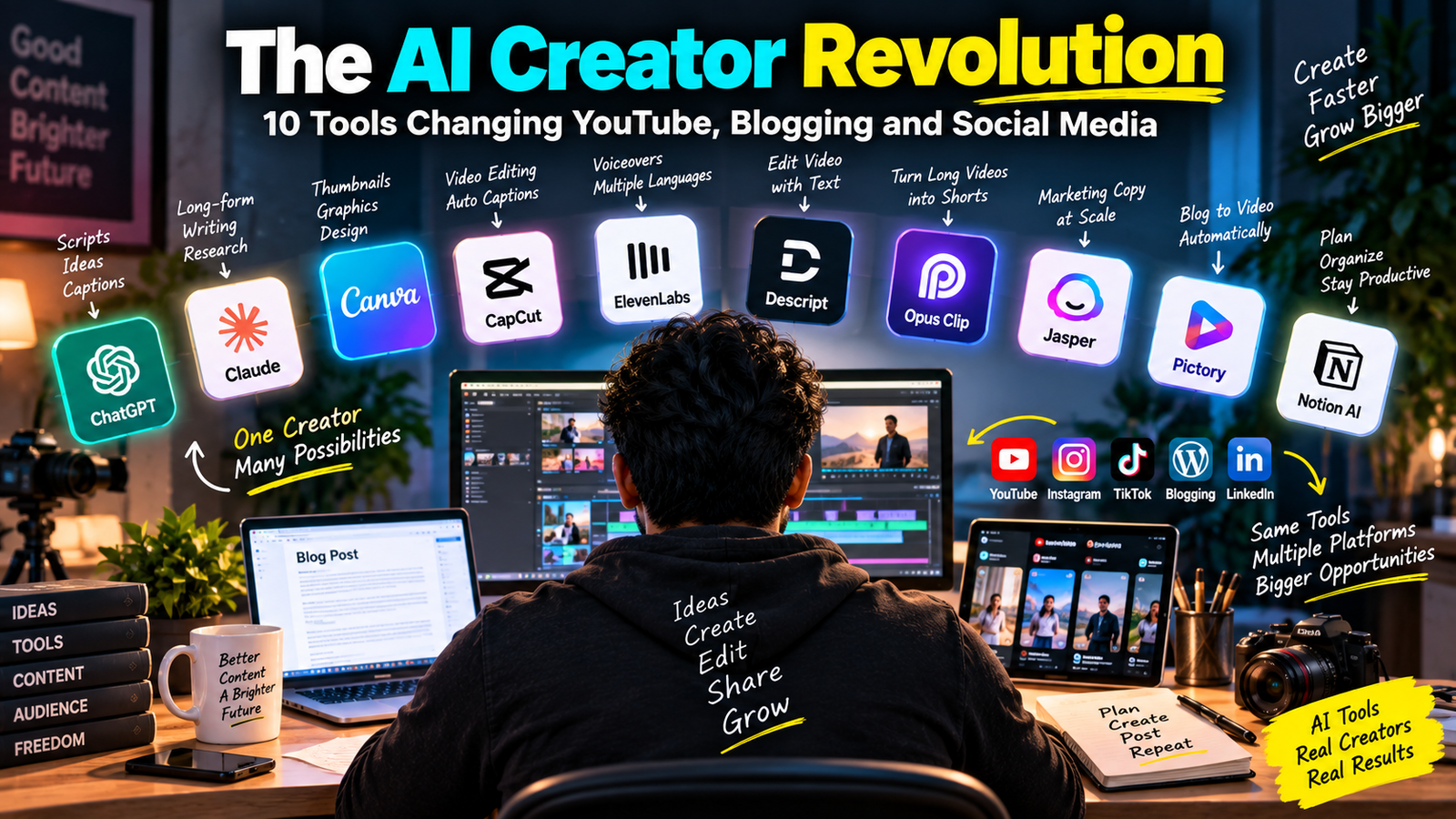
If you have opened YouTube Studio, a blogging dashboard, or Instagram’s creator tools in the last year, you have probably noticed something AI is quietly running in the background of almost everything. From writing scripts to editing videos to designing thumbnails, the creator economy is being reshaped by a handful of AI tools that are genuinely changing how fast (and how well) people can create content.
In short: the AI creator revolution refers to a set of tools like ChatGPT, Claude, CapCut’s AI features, ElevenLabs, Canva Magic Studio, and Opus Clip that are helping YouTubers, bloggers, and social media creators write, edit, design, and repurpose content in a fraction of the time it used to take. None of them replace a creator’s judgment, but together they remove a lot of the grunt work.
I have been using most of these tools daily for my own content and client work, so this isn’t a “top 10 list” copied off a press release. This is what actually works, what doesn’t, and where I’d be careful.
Why This Matters for Indian Creators Specifically
India has one of the largest creator bases in the world, but most creators here are solo or working with a team of two or three people. That means one person is often the writer, editor, thumbnail designer, and social media manager all at once.
AI tools don’t magically make content “go viral,” but they do solve a very real problem: time. When you’re juggling a full-time job or college alongside a YouTube channel or a blog, cutting a 4-hour editing job down to 45 minutes matters a lot.
1. ChatGPT – For Scripts, Outlines, and Captions
ChatGPT is still the most widely used AI tool among creators, and for good reason. It’s genuinely useful for:
- Brainstorming video titles and hooks
- Writing first-draft blog outlines
- Generating Instagram captions and hashtag sets
- Turning a rough voice note transcript into a structured script
Real example: When I’m stuck on a YouTube intro, I paste my rough talking points and ask ChatGPT to give me 5 different hook variations under 15 seconds each. I almost never use its output word-for-word but it breaks the blank-page problem instantly.
Limitation to know: It can sound generic if you don’t give it your own voice, examples, or tone reference. Always edit before publishing.
2. Claude – For Long-Form Writing and Research-Heavy Content
Claude (made by Anthropic) has become my go-to for longer blog drafts, especially anything that needs structured thinking comparison articles, how-to guides, or content based on a document I upload.
Where it stands out over other chatbots is handling long inputs well you can drop in an entire research paper, a client brief, or a transcript, and it keeps track of the details without losing context halfway through.
Practical use-case: I upload interview transcripts and ask Claude to pull out only the quotable, usable lines for a blog post saves at least an hour of manual re-reading.
3. Canva Magic Studio – For Thumbnails and Social Graphics
Canva’s AI features (Magic Design, Magic Media, background remover) have made it possible for non-designers to produce decent-looking YouTube thumbnails and Instagram carousels without hiring a designer.
Quick Workflow for a YouTube Thumbnail
- Upload your raw screenshot or photo
- Use Magic Media to generate a background that matches your video’s theme
- Add bold text using Canva’s pre-set thumbnail templates
- Use Magic Resize to instantly create Shorts, Instagram, and LinkedIn versions
It’s not going to out-design a professional, but for solo creators it closes the gap significantly.
4. CapCut – For AI-Assisted Video Editing
CapCut has quietly become one of the most-used editing apps for Indian creators, especially for Shorts and Reels. Its AI features auto-captions, auto-reframe for vertical video, and background removal cut editing time drastically.
Where it shines: auto-captioning is genuinely accurate for English and reasonably good for Hindi, though accents and mixed-language (Hinglish) content still need manual correction.
Trade-off: the free version has watermark and export limitations, and some advanced AI effects sit behind CapCut Pro.
5. ElevenLabs – For AI Voiceovers
If you make faceless YouTube videos, explainer content, or need voiceovers in multiple languages, ElevenLabs is one of the more natural-sounding AI voice tools available.
Honest take: the voice quality is impressive for English, but Indian language support and accents are still improving always listen to a full sample before committing to a voice for an entire video series.
6. Descript – For Editing Video by Editing Text
Descript lets you edit a video by literally editing the transcript delete a sentence in the text, and it removes that clip from the video. For podcast-style or talking-head content, this is a genuine time-saver.
It also has a filler-word removal feature (removing “um,” “uh,” pauses) that works well for cleaning up raw recordings quickly.
7. Opus Clip – For Repurposing Long Videos into Shorts
If you’ve ever recorded a 40-minute podcast and wondered which 5 moments would work as Reels or Shorts, Opus Clip’s AI tries to identify the most “clip-worthy” segments automatically and reformats them vertically with captions.
It’s not perfect it sometimes picks a mediocre moment over a genuinely good one but it’s a solid starting point rather than scrubbing through an hour of footage manually.
8. Jasper – For Marketing Copy at Scale
Jasper is built specifically for marketing teams and small businesses that need consistent brand voice across ad copy, product descriptions, and email campaigns. It’s more structured (and more expensive) than ChatGPT, which makes sense for agencies but may be overkill for a solo blogger just starting out.
9. Pictory – For Turning Blog Posts into Videos
Pictory takes a blog article or script and automatically generates a video using stock footage, text overlays, and AI voice. It’s a useful bridge for bloggers who want a YouTube or LinkedIn presence without learning video editing from scratch.
Limitation: stock footage can feel generic if you don’t customize scenes manually, so treat the AI output as a rough first cut, not a final video.
10. Notion AI – For Content Planning and Organization
Not every AI tool is about generating content Notion AI helps with the less glamorous side: content calendars, SEO keyword tracking, summarizing meeting notes, and organizing scripts across a team. For creators managing multiple platforms, this organizational layer matters as much as the flashy generation tools.
A Balanced Note on Limitations
It’s worth being honest here: these tools speed up production, but they don’t guarantee views, engagement, or income. AI-generated scripts still need your personality. AI-edited videos still need your judgment on pacing. And most of these tools change their pricing, free-tier limits, and features fairly often so treat any specific pricing you read (including here) as a general guide, not a fixed number, and always check the tool’s current pricing page before committing.
Overreliance is the real risk. If every creator uses the same AI tool with the same default prompt, content starts looking and sounding the same. The tools work best when they handle the repetitive 70 percent of the work, leaving you free to focus on the 30 percent that actually makes your content yours your opinions, your examples, your voice.
How to Start Without Getting Overwhelmed
You don’t need all 10 tools on day one. A practical starting stack for most Indian creators looks like this:
- Writing: ChatGPT or Claude (free tiers are enough to start)
- Design: Canva (free plan covers most basic needs)
- Video editing: CapCut (free, mobile-friendly)
- Repurposing: Opus Clip or manual clipping until your channel grows
Add the rest ElevenLabs, Descript, Jasper only when you hit a specific bottleneck those tools solve.
FAQ
1. Are AI tools free to use for YouTube and blogging? Most of the tools listed have free tiers ChatGPT, Claude, Canva, and CapCut all offer usable free versions. Paid plans usually unlock higher usage limits, advanced features, or watermark removal.
2. Will using AI tools get my content flagged or penalized? Platforms generally don’t penalize you simply for using AI tools in your workflow. What matters more is the quality, originality, and usefulness of the final content you publish.
3. Which AI tool is best for a complete beginner? Start with ChatGPT for writing and Canva for design. Both have intuitive free interfaces and don’t require any technical background to get useful results on day one.
4. Can AI tools completely replace a content team? Not really, especially for anything requiring original opinions, on-camera presence, or niche expertise. They’re best used as force multipliers for an existing creator or small team, not a full replacement.
Your Next Step
Pick just one bottleneck in your current content process scripting, thumbnails, or editing and try the matching tool above for one week with your existing content. Don’t switch your entire workflow overnight. If you’re currently spending the most time on video editing, start with CapCut’s free version this week and compare the time you save against your usual editing process.