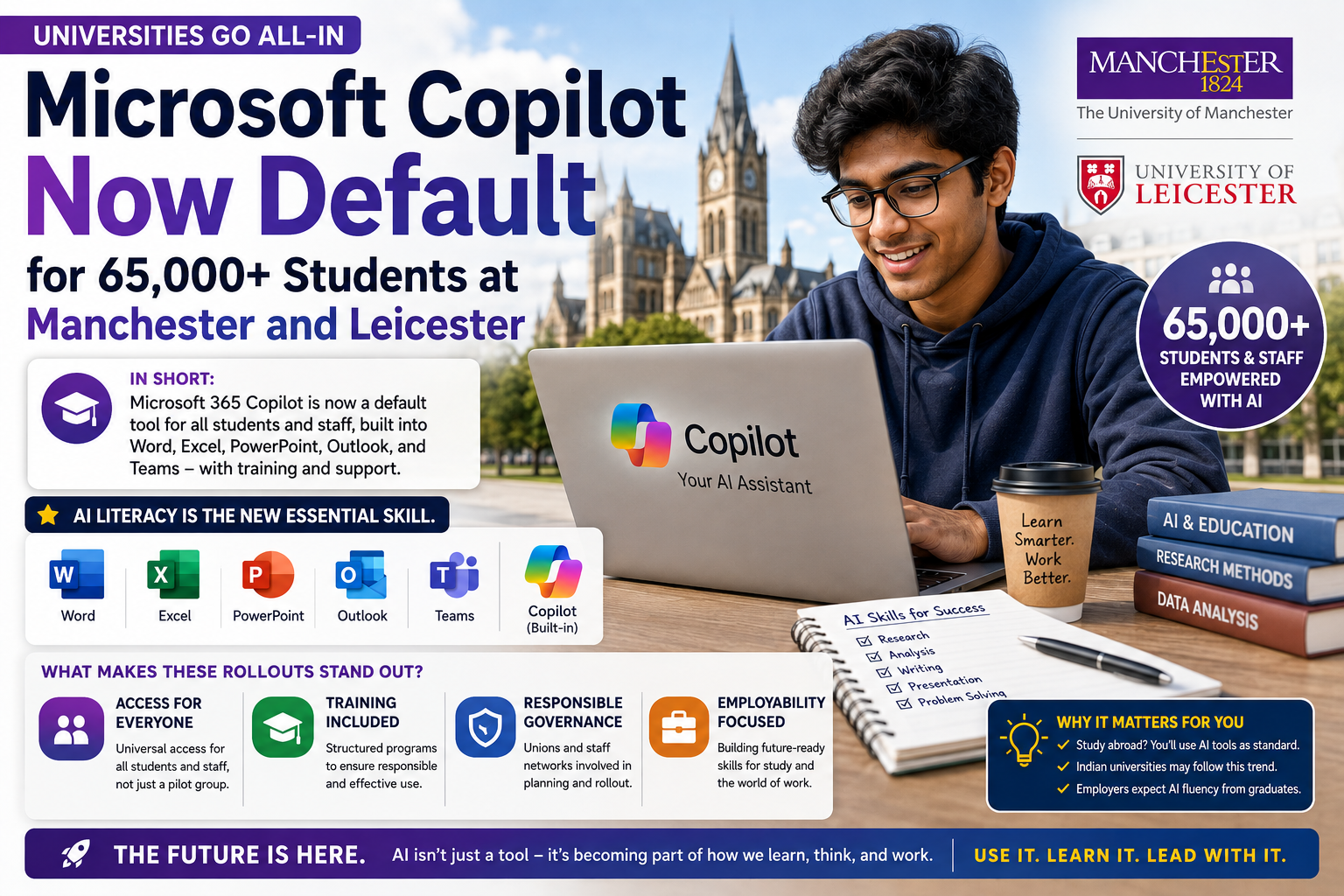
If you have been following AI in education even loosely, you probably caught the headline: two major UK universities, Manchester and Leicester, have made Microsoft Copilot a default tool for their entire student and staff community. Manchester alone is rolling this out to roughly 65,000 people, and it is calling itself the first university in the world to do this at full scale. Leicester followed soon after with its own campus-wide rollout.
In short: Microsoft 365 Copilot is no longer a “try it if you’re curious” add-on at these universities. It is baked into Word, Excel, PowerPoint, Outlook, and Teams for everyone, with formal training attached, which effectively makes AI literacy a basic university skill, the same way using a search engine or a library catalogue once was.
I’m Sujith, and I spend most of my working week testing AI tools for a living ChatGPT, Claude, Gemini, Copilot, all of it. This particular story matters to Indian readers more than it might seem at first glance, because it signals where higher education globally is heading, and Indian institutions, ed-tech companies, and students preparing for study-abroad programs will feel the ripple effects. Let’s break down what actually happened, what it means practically, and how you can get similar value from Copilot even if your college hasn’t made this move yet.
What Exactly Did Manchester and Leicester Do
The University of Manchester announced its Copilot rollout in January 2026, framing it as a strategic collaboration with Microsoft that gives its full community access to the Microsoft 365 Copilot suite. That includes the productivity apps most students already use Word, Excel, PowerPoint now with Copilot built directly in, alongside newer AI agents designed for research and analysis tasks.
Leicester’s rollout came a few months later, giving its students and staff full access across teaching, learning, research, and administrative work. Both universities paired the access with structured training, not just a login and a “figure it out” approach. That distinction matters a lot, and I’ll come back to it.
A few things stand out about how these rollouts were designed:
- Access is universal, not opt-in. Every student and staff member gets Copilot by default, rather than a limited pilot group.
- Training is bundled with access. Both universities are running programs to teach responsible and effective use, not just switching the feature on.
- Governance and unions were involved. Manchester specifically worked with its Students’ Union and staff networks while designing the rollout, which suggests the university anticipated concerns around academic integrity, data privacy, and over-reliance on AI.
- It’s positioned as an employability move. Leicester tied its Copilot access to a broader “future-ready skills” and work-related learning agenda for undergraduates.
Why This Is a Bigger Deal Than It Sounds
For the past couple of years, most universities worldwide have treated generative AI cautiously banning it in some courses, quietly tolerating it in others, running small pilots to “see how it goes.” Manchester and Leicester making Copilot the default changes that posture completely.
When a university makes an AI tool part of its standard IT stack for tens of thousands of people, it is effectively saying: we expect you to use this, we will teach you how, and we will hold you accountable for using it responsibly. That is a very different statement than “students may use AI tools at their own discretion.”
For India specifically, this matters in three ways:
- Study-abroad aspirants applying to UK universities will increasingly encounter AI tools as standard infrastructure, not optional extras, and may want to build familiarity before they land on campus.
- Indian universities and ed-tech platforms often look to UK and US higher education for cues on curriculum design. Expect more Indian institutions to pilot similar Microsoft, Google, or OpenAI partnerships over the next couple of years.
- Employers are increasingly expecting graduates to already know how to work alongside AI tools like Copilot, ChatGPT, or Claude. A campus-wide rollout like this effectively builds that skill into a degree.
What Microsoft Copilot Actually Does in a Student’s Day-to-Day Work
If you haven’t used Copilot inside Microsoft 365 before, here’s a quick, honest walkthrough based on how I actually use it.
Inside Word
Copilot can draft an outline for an assignment based on a short prompt, rewrite a clunky paragraph in a clearer tone, or summarize a long PDF you’ve pasted in. I typically type something like: “Summarize the key arguments in this document into five bullet points, then suggest a counterargument I could explore.” It’s genuinely useful for getting past a blank page, though the first draft almost always needs your own editing and fact-checking.
Inside Excel
This is where Copilot tends to shine for coursework involving data. You can ask it to explain what a formula does, generate a pivot table summary in plain English, or spot outliers in a dataset. It won’t replace understanding statistics, but it removes a lot of the friction of remembering exact formula syntax.
Inside PowerPoint
Copilot can turn a Word document or a rough outline into a starting slide deck. It’s a decent first pass expect to redesign the visuals yourself if you care about how the presentation actually looks.
Inside Outlook and Teams
Drafting emails, summarizing long email threads, or catching up on a Teams meeting you missed by generating a summary from the transcript. Genuinely handy for group project coordination.
A Simple Step-by-Step: Getting Real Value From Copilot as a Student
- Start with a specific task, not a vague one. Instead of “help me write my essay,” try “give me three possible thesis statements for an essay on urban water scarcity, each with a different angle.”
- Ask it to show its reasoning. Prompting Copilot to explain why it chose a particular structure or argument helps you learn, not just copy.
- Treat the first output as a rough draft. Rewrite it in your own words, check every fact and citation, and add your own analysis.
- Use it for the boring parts. Formatting references, cleaning up spreadsheet data, or summarizing long readings are lower-risk, high-time-saving uses.
- Check your institution’s AI policy before submitting anything. Even where Copilot is officially provided, universities still have rules about what counts as acceptable use versus academic misconduct.
The Trade-offs Nobody Should Skip
I don’t think it’s honest to write about this rollout without being upfront about the limitations, because AI tools in education come with real trade-offs.
- Over-reliance is a genuine risk. If Copilot drafts your first version of everything, you can quietly lose the skill of generating your own ideas from scratch. That’s part of why Manchester built formal training into the rollout instead of just flipping a switch.
- Accuracy isn’t guaranteed. Like every large language model, Copilot can generate plausible-sounding but incorrect information, especially with niche academic topics or recent events. Always verify facts and citations independently.
- Data and privacy considerations matter. Universities providing Copilot through institutional Microsoft 365 accounts generally have more control over how data is handled compared to a personal free account, but students should still understand what’s being processed and where.
- Access doesn’t mean mastery. Simply having Copilot available doesn’t automatically make students better at using AI well. The training component is doing a lot of the real work here, and its quality will vary.
- Pricing and features change. Microsoft 365 Copilot’s tiers, included apps, and pricing for individuals and institutions have shifted over time and will likely continue to. If you’re evaluating it for personal or business use outside a university license, always check Microsoft’s current pricing page rather than relying on older numbers.
How This Compares to Using ChatGPT or Claude as a Student
Copilot’s biggest advantage for students is that it lives inside the tools you’re already using Word, Excel, PowerPoint — so there’s no context-switching. ChatGPT and Claude, on the other hand, tend to be stronger for open-ended reasoning, longer creative writing, and more nuanced back-and-forth conversations, and many students use them alongside Copilot rather than instead of it. None of these tools is objectively “the best” for every task — it genuinely depends on what you’re doing and which one your institution supports.
FAQ
Is Microsoft Copilot free for students at Manchester and Leicester? Yes, within the rollout described by both universities, Copilot access is provided as part of the institutional Microsoft 365 license, meaning students don’t pay separately for it. Outside a university deployment, personal or business Copilot plans have their own pricing, which you should check directly on Microsoft’s site since it can change.
Will other universities follow Manchester and Leicester’s lead? It’s likely. Once a large, well-known university makes a move like this, it tends to set an informal benchmark that other institutions reference when making their own AI adoption decisions. Whether Indian universities adopt similar full-scale partnerships remains to be seen, but ed-tech trends often follow this pattern.
Does using Copilot count as cheating on assignments? It depends entirely on your specific university and course policy. Even where Copilot is officially provided, using it to generate a full assignment without disclosure can still violate academic integrity rules. Always check your institution’s specific AI usage policy before submitting work.
How is Copilot different from just using ChatGPT for coursework? Copilot is built directly into Microsoft 365 apps, so it works with the documents, spreadsheets, and emails you’re already creating without needing to copy-paste between tools. ChatGPT and Claude are standalone tools that some students still prefer for brainstorming, research, or more open-ended writing help.
Try This Next
If your college hasn’t rolled out Copilot yet, you don’t need to wait. Open a Word document today, type a short paragraph of your own writing, and ask Copilot (or ChatGPT, if that’s what you have access to) to suggest three ways to strengthen your argument without rewriting it for you. Compare the suggestions against your own judgment before accepting anything. That one exercise will teach you more about working with AI responsibly than reading ten articles about it including this one.