If you have ever typed an email, a college assignment, or a LinkedIn post and then wondered “should I run this through Grammarly or just ask ChatGPT to fix it?” you are not alone. I get this question from friends, clients, and readers almost every week, so I finally sat down and used both tools side by side on the same set of real tasks to see where each one genuinely helps.
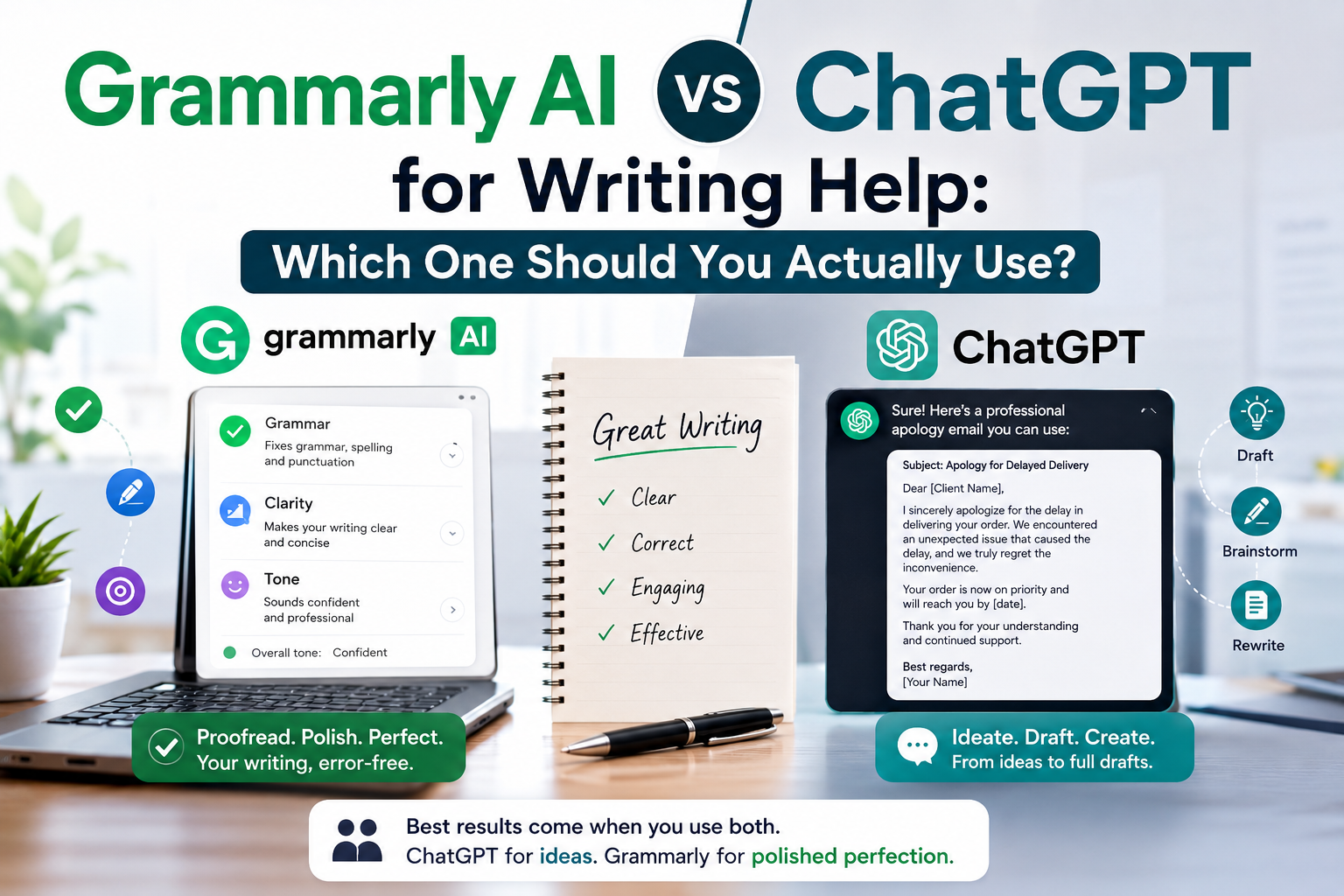
Quick answer: Grammarly AI is built specifically for grammar, clarity, and tone correction inside the document you are already writing, while ChatGPT is a general-purpose writing assistant that can draft, brainstorm, restructure, and rewrite content from scratch. If you want a fast, in-line proofreader, go with Grammarly. If you want a thinking partner that can generate ideas and full drafts, ChatGPT wins. Most serious writers in India I know actually end up using both, just for different stages of the process.
Let’s break this down properly so you can decide what fits your workflow, whether you are a student writing assignments, a marketer producing content at scale, or a small business owner drafting your own website copy.
What Grammarly AI Actually Does
Grammarly started as a grammar checker browser extension, but the newer version often marketed as Grammarly AI or GrammarlyGO has grown into something closer to a writing coach that lives inside your document.
Here is what it focuses on:
- Grammar and spelling correction – catching subject-verb agreement issues, punctuation errors, and typos in real time as you type.
- Clarity and conciseness suggestions – flagging wordy sentences and offering shorter alternatives.
- Tone detection – telling you if your email sounds “confident,” “friendly,” or unintentionally “harsh” before you hit send.
- Plagiarism checking (on paid plans) – useful for students and content writers who need originality reports.
- AI-assisted rewriting – you can now ask Grammarly to rewrite a sentence or paragraph in a different tone, similar to a mini version of ChatGPT baked into the editor.
I use Grammarly mostly as a final-pass tool. I write my first draft elsewhere, then paste it into Grammarly (or use the browser extension directly on Gmail, Google Docs, or LinkedIn) to catch small errors I missed. It sits quietly in the background and doesn’t require you to “prompt” it the way ChatGPT does it just reacts to what you’ve already written.
What ChatGPT Actually Does
ChatGPT, built by OpenAI, is a conversational AI model. It doesn’t just check what you’ve written — it can create writing from nothing, based on instructions you give it.
Typical writing use-cases include:
- Drafting content from scratch – blog intros, social captions, email templates, product descriptions.
- Brainstorming and outlining – asking it for five different angles on a topic before you start writing.
- Restructuring long content – pasting a messy draft and asking it to reorganize the flow.
- Tone and style rewriting – “make this sound more professional” or “simplify this for a 12-year-old.”
- Explaining concepts – useful when you’re writing about something you don’t fully understand yet, though you should always verify facts independently.
The key difference in how I use it: ChatGPT is where I go before I have a draft. I’ll type something like “Give me three different hooks for a blog post about UPI payment safety for small shop owners” and iterate from there. It’s a conversation, not a correction.
Grammarly AI vs ChatGPT: Head-to-Head Comparison
| Feature | Grammarly AI | ChatGPT |
|---|---|---|
| Best for | Proofreading, polishing existing text | Drafting, brainstorming, rewriting from scratch |
| Works inside other apps | Yes (Gmail, Docs, browser extension, MS Word) | Limited (mainly its own chat interface, plus some browser/plugin integrations) |
| Grammar accuracy | Very strong, purpose-built for this | Good, but occasionally misses subtle grammar issues |
| Tone detection | Built-in, visual tone indicator | You have to ask explicitly |
| Plagiarism check | Available on paid plans | Not a built-in feature |
| Content generation | Minimal (short rewrites only) | Strong — can write full drafts |
| Free tier | Yes, generous for basic corrections | Yes, with usage limits depending on the model version |
| Learning curve | Very low, works passively | Slightly higher, needs decent prompting skills |
A Real Example: Same Task, Two Tools
To make this concrete, I tried the same task on both tools recently: writing a short apology email to a client about a delayed delivery.
With ChatGPT, I typed a prompt describing the situation and got a full draft in seconds, with a professional tone and a clear structure greeting, apology, explanation, next steps, closing. I had to tweak a couple of lines to match my usual voice, but the heavy lifting was done.
With Grammarly, I took that same draft, pasted it into the editor, and it flagged two redundant phrases, suggested a more concise version of one sentence, and confirmed the tone was reading as “apologetic and professional” which was exactly what I wanted to check before sending.
This is honestly how I’d recommend most people use both tools together: ChatGPT for the first draft, Grammarly for the final polish.
Pricing: What You’re Actually Paying For
Both tools offer free plans, but with different limitations. Grammarly’s free tier covers basic grammar and spelling checks, while advanced features like tone rewrites, plagiarism detection, and full AI generation sit behind paid tiers (Grammarly Premium and Grammarly Business). ChatGPT’s free tier gives you access to a capable model with some usage caps, while the paid subscription unlocks faster responses, higher limits, and access to more advanced models.
Since pricing and feature availability change fairly often for both companies, I’d suggest checking their official pricing pages before you commit, rather than relying on numbers from any single article — including this one.
Limitations You Should Know About
Neither tool is perfect, and being honest about this matters more than hyping either one up.
Grammarly’s limitations:
- It won’t generate original ideas or long-form content for you.
- Tone suggestions can sometimes feel overly cautious or generic.
- Over-reliance on it can make your writing sound a little too “smoothed out,” losing personal voice.
ChatGPT’s limitations:
- It can occasionally produce factually incorrect information confidently, so always fact-check anything technical or statistical.
- Without careful prompting, output can sound generic or repetitive across different writers.
- It’s not purpose-built for catching small grammar slips the way Grammarly is you may still need a proofreading pass afterward.
Which One Should You Choose?
Honestly, this depends on what stage of writing you’re usually stuck at.
- Struggle to get started or need ideas? Use ChatGPT first.
- Write fine but make small errors or want a tone check? Use Grammarly.
- Doing professional or academic writing regularly? Use both ChatGPT for drafting, Grammarly for the final grammar and tone pass.
- On a tight budget and just need error-free emails? Grammarly’s free tier alone will probably cover you.
There’s no universal winner here it’s really about matching the tool to the specific writing problem you have that day.
Frequently Asked Questions
1. Can Grammarly replace ChatGPT for writing full blog posts? Not really. Grammarly’s AI rewriting features can help with individual sentences or paragraphs, but it isn’t designed to generate a full structured article the way ChatGPT can from a detailed prompt.
2. Is ChatGPT good enough to skip grammar checking entirely? It’s generally good with grammar, but it’s not a dedicated proofreading tool, so small errors can slip through, especially in longer pieces. A quick Grammarly pass afterward is still a good habit.
3. Which tool is better for students writing assignments? Grammarly is useful for catching errors and checking originality before submission. ChatGPT can help you understand a topic or structure an outline, but always check your institution’s AI usage policy before using it for graded work.
4. Do I need to pay for both tools? Not necessarily. Many casual users get by comfortably with the free tiers of both. Paid plans make more sense once you’re writing professionally or in high volume — for example, running a content agency or managing multiple client accounts.
Your Next Step
If you haven’t tried this combination yet, here’s a simple exercise: take one piece of writing you’re working on this week an email, a caption, an assignment and draft it first in ChatGPT using a clear, specific prompt. Then paste that draft into Grammarly’s free tier and see what it flags. You’ll get a real feel for how the two tools complement each other, rather than compete, and you can decide from there whether one, or both, deserve a permanent spot in your writing workflow.
— Sujith